Oops! Something went wrong while submitting the form.
🍪 Cookie settings
By clicking “Accept all”, you agree to the storing of cookies on your device to enhance site navigation, analyze site usage, and assist in our marketing efforts. See ourPrivacy Policy for more information.
Zapier is a no-code automation platform that connects more than 9,000 apps through workflows called Zaps. A trigger starts a series of actions, for example from a Webflow form to a CRM. Zapier now adds AI agents, tables and an MCP server.
Free plan with 100 tasks a month and two-step Zaps.
Professional plan from $19.99 a month billed yearly.
Team plan from $69 a month, up to 25 users.
Up to 33% off with yearly billing.
AI-generated summary
Zapier is the best-known no-code automation platform. It connects apps through Zaps: a trigger, such as a new form submission, starts one or more actions, such as creating a contact in a CRM. Our agency connects clients' tools with Make, Zapier or n8n depending on the need. This page explains when Zapier remains the right choice and when it becomes too expensive.
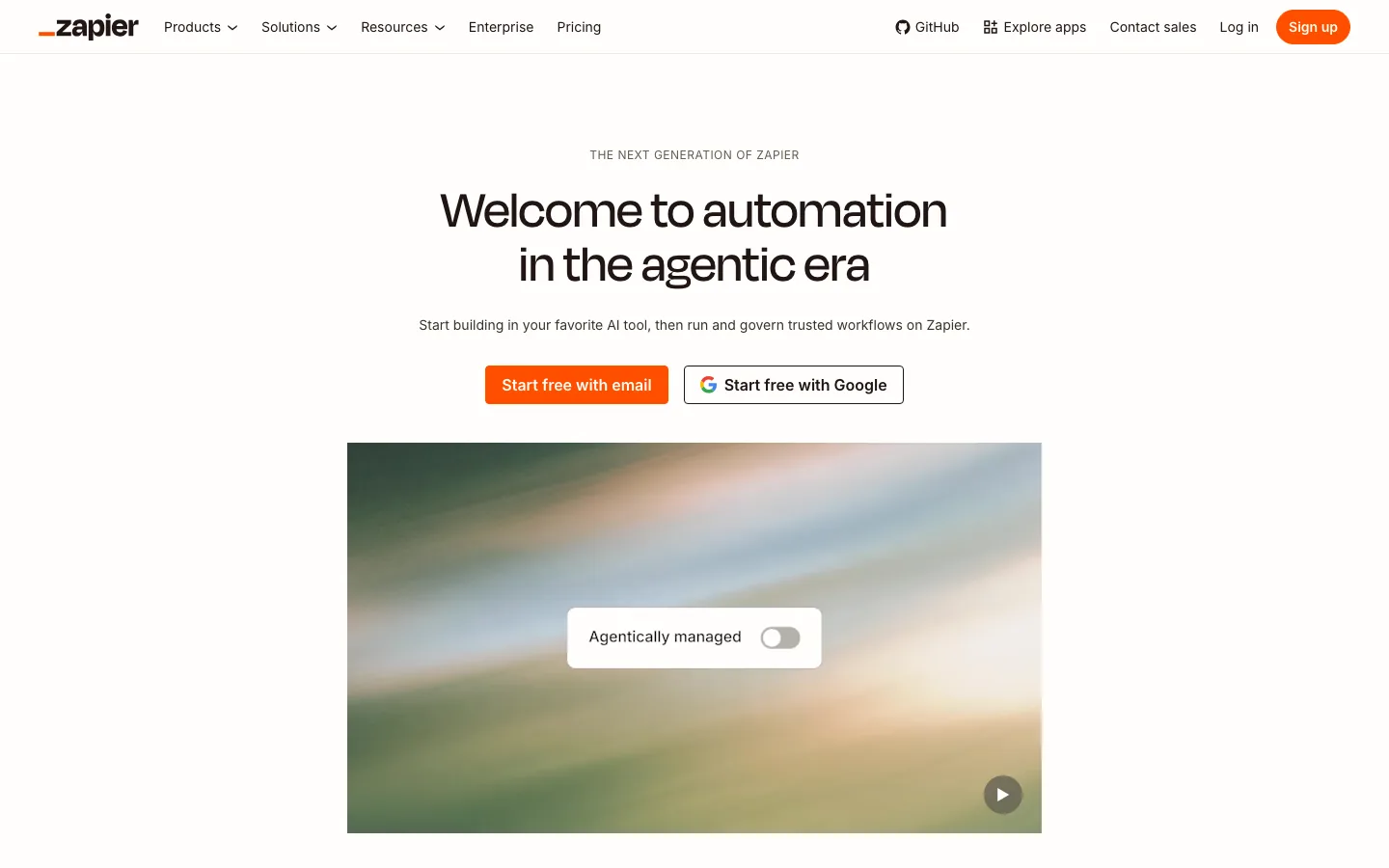
zapier.com homepage, captured on October 23, 2026
What is Zapier?
Zapier claims more than 9,000 connectable apps (Zapier app directory). Its strength lies in this library and in a quick learning curve. A Zap takes a few minutes to build, without code, in a guided visual editor.
The platform has grown beyond Zaps.
Tables and Forms: a database and forms built into workflows.
Zapier Agents and Chatbots: AI agents that carry out tasks in your apps.
Zapier MCP: a server that gives Claude, ChatGPT or Cursor access to Zapier actions.
Copilot: an assistant that builds a Zap from a plain-language description.
Zapier use cases on a B2B website
On a Webflow site, Zapier is mostly used to move leads and content around without copy-pasting.
Form to CRM: each Webflow contact request creates a contact in HubSpot or Attio and alerts the team on Slack.
Content to CMS: an approved row in Airtable or Notion becomes a draft article in the Webflow CMS.
Meetings: a Cal.com booking updates the CRM and triggers a preparation email.
These workflows stay simple and linear. Zapier excels at this kind of straightforward flow.
Zapier pricing
The prices below were taken from the official pricing page on 23 October 2026, in US dollars, billed yearly.
Plan
Price
What you get
Free
$0
100 tasks a month, two-step Zaps, Tables and Forms, checks every 15 minutes
Professional
From $19.99 a month
Multi-step Zaps, unlimited premium apps, webhooks, checks every 2 minutes
Team
From $69 a month
25 users, shared Zaps and connections, SAML SSO, priority support
Enterprise
On quote
Unlimited users, advanced admin controls and annual task limits
The price depends on the number of monthly tasks. Each successful action in a Zap counts as one task. A five-step workflow triggered 1,000 times can therefore use up to 5,000 tasks. Yearly billing cuts the bill by up to 33%.
Zapier, Make or n8n: which one to choose?
Zapier to start fast, with the largest app catalogue and a non-technical team.
Make for richer workflows, with visual branches and loops, often at a lower cost for the same volume.
n8n for complex or sensitive workflows, self-hosted, with no per-task billing.
For one-off tasks on a Webflow site, an AI agent is sometimes enough. The Claude and Webflow connector edits the CMS from a conversation, with no workflow to maintain.
Our review of Zapier
Zapier remains the best entry point into automation for a marketing team. It gets expensive as workflows multiply and every step uses tasks. Beyond a few multi-step Zaps, a comparison with Make and n8n is worth the time.
Strengths
The largest integration catalogue on the market.
A quick start, with no technical skills required.
AI agents and an MCP server to connect your apps to Claude or ChatGPT.
Limits
Per-task billing that climbs fast on multi-step workflows.
Less flexible logic than Make or n8n for data processing.
Data hosting outside the European Union, to check against your context.
Our AI and automation services pick the tool based on volume, data sensitivity and your team's autonomy.
FAQ: frequently asked questions about Zapier
Is Zapier paid?
Zapier offers a free plan limited to 100 tasks a month and two-step Zaps. Multi-step Zaps and webhooks require the Professional plan, from $19.99 a month billed yearly.
Why use Zapier?
To automate repetitive tasks between apps without a developer. The most common uses involve leads, team notifications and content syncing.
Does Zapier work with Webflow?
Yes. Zapier triggers on Webflow forms and creates or updates Webflow CMS items.
What is the best alternative to Zapier?
Make for a better feature-to-price ratio, n8n for self-hosting and technical workflows. The choice depends on task volume and your team.