Webflow

Webflow vs WordPress 2026: Which CMS to choose for your web project?

Webflow
Icône du temps
17 minutes
.
Icône de lienLogo noir du réseau social X Logo Linkedin noirLogo Facebook noir
AI-generated summary

WordPress or Webflow to create your professional site? This article, written by experts from Webflow specialized agency Noqode, analyzes these two solutions in depth: maintenance, security, real cost (TCO), SEO performance... to help you make the choice that best suits your needs and technical resources.

WordPress dominates the web with 43% of global sites according to W3Techs 2026. This open-source platform, mature since 2003, is opposed to Webflow, which seduces 3.5 million users prioritizing control, design and performance without heavy technical maintenance. These two solutions respond to radically different philosophies that we will explore.

Quick comparison table Webflow vs WordPress 2026
Criteria Webflow WordPress
Platform nature Proprietary SaaS no-code Open-source CMS
Web market share ~0.8% websites 43% global websites
Hosting Included managed (AWS + Fastly) Separate management required
Technical maintenance Automatic invisible Regular manual updates
Security Platform managed User responsibility
Design control Total visual development Variable per builder
Native performance Excellent (JAMstack) Variable (config dependent)
Extensions Limited apps marketplace 62,000+ free/paid plugins
Entry-level cost $14/month all-inclusive €5-15/month hosting + extras

WordPress vs Webflow: two opposing philosophies

A managed SaaS model in the face of open-source

Webflow adopts a Software-as-a-Service model where hosting, security and infrastructure maintenance are automatically managed by the platform. In concrete terms, the user focuses exclusively on design and content without ever touching on server technical aspects. This “turnkey” approach eliminates technical complexity: no choice of hosting provider to make, no system updates to monitor, no server configurations to optimize. The trade-off lies in a dependence on a proprietary platform and less absolute technical flexibility compared to a self-hosted solution.

Logo Webflow
Webflow adopts a Software-as-a-Service model

WordPress.org works differently. It is a open source free software that you download for free and install on the hosting of your choice, whether it's OVH, O2Switch, Kinsta, or WP Engine. This freedom implies a full maintenance responsibility : you choose your host, install WordPress updates, manage your themes and plugins, configure backups, secure your installation and optimize performance. The flexibility is maximum, but the technical load is significant.

Fundamentally different technical architectures

Webflow is based on a modern JAMstack architecture where the pages are pre-generated in a static version and served via an ultra-fast CDN. AWS hosting with the Fastly CDN is included in all paid plans. This architecture provides several concrete advantages: a excellent native performance, increased security since there is no database exposed to attacks, and automatic traffic scalability. The entire infrastructure remains invisible to the user and is entirely managed by Webflow.

WordPress utilizes the classic LAMP architecture (Linux, Apache or Nginx, MySQL, PHP) where pages are dynamically generated on the server side during each visit. This approach requires PHP and MySQL compatible hosting that you need to choose and manage separately. The flexibility is great: you can opt for economical shared hosting between 5 and 15€ per month, a dedicated VPS between 20 and 100€ monthly, or a premium managed WordPress hosting at Kinsta or WP Engine between €25 and €50 per month. Performance varies considerably depending on your server configuration, plugins, and optimizations.

Design and creative control: Webflow advantage

Webflow offers a complete design control via its visual development interface. The Webflow Designer visually reproduces the HTML/CSS structure, allowing you to master Flexbox, CSS Grid, animations and advanced interactions without writing a line of code. Creative freedom is similar to that of tailor-made development. You can create reusable CSS classes, components and exploit libraries such as Client-First or Relume to speed up production. Professional methodologies such as BEM or OOCSS are directly applicable. The main limitation lies in the 2-4 week learning curve necessary to understand fundamental CSS concepts such as box model, positioning, and responsive design.

WordPress offers varying flexibility depending on the tool chosen. The native editor Gutenberg has evolved considerably since its launch in 2018 and now offers an intuitive interface for dragging and dropping content blocks. However, design flexibility remains limited without additional plugins. Les Visual page builders like Elementor, Divi, or Beaver Builder offer more advanced design control. Elementor has over 12 million active installations and offers an intuitive drag-and-drop interface, but the generated code is sometimes cumbersome and creates a Vendor Lock-In : changing the builder requires a complete redesign. For total control, developers can create custom PHP themes, but that requires solid backend skills in WordPress development and theme architecture.

Maintenance: the masked argument of Webflow

This is probably the most important differentiator between these two platforms. Webflow manages automatically 100% of technical maintenance : automatic infrastructure updates, server security, daily backups, SSL certificates and CDN optimizations. The user never touches server technical aspects. The native versioning automatically saves the history of all your changes, allowing you to restore an earlier version in one click. No risk of losing your work due to an unfortunate change. Enterprise plans come with a SLA 99.99% uptime, and the robust AWS infrastructure automatically handles spikes in traffic without intervention.

WordPress requires a regular active maintenance. The WordPress core releases monthly security and feature updates. Your themes and plugins (on average 15 to 30 per site) also require frequent updates. The main risk lies in the conflicts between updates causing bugs, blank pages or completely broken sites. You are responsible for regular backups via free plugins like UpdraftPlus or BackWPup, or via the solutions offered by your hosting provider. Forgetting backups can lead to complete data loss in the event of a server problem, hack, or human error.

WordPress security requires constant vigilance. According to Wordfence 2025, 62% of WordPress sites are victims of hacking attempts every year. Outdated plugins represent critical flaws that can be exploited by hackers. You should install security plugins like Wordfence Premium or Sucuri, monitor suspicious access logs, harden your WordPress configuration, and keep all your components up to date. Even without a permanent in-house developer, WordPress maintenance requires either a significant internal time estimated between 2 and 5 hours per month minimum, i.e. a specialized external service provider charging between 50 and 200€ monthly depending on the level of service.

Performance: Webflow wins without configuration

Webflow sites always comply with Core Web Vitals Google without additional optimizations. The static JAMstack architecture, the global Fastly CDN with over 200 points of presence, the clean and minified HTML/CSS code, WebP images with native lazy loading, and the HTTP/2 and HTTP/3 support ensure excellent performance. PageSpeed Insights tests show Webflow sites loading between 1.2 and 2 seconds on average with scores of 95 to 100/100 on desktop and 85 to 95/100 on mobile.

Webflow Core Web Vitals Performance 2026
Metric Google Standard Average Webflow Performance
LCP (Largest Contentful Paint) < 2.5s 1.2s - 2.0s ✅
FID (First Input Delay) < 100ms < 50ms ✅
CLS (Cumulative Layout Shift) < 0.1 0.02 - 0.08 ✅

WordPress presents a very variable performance depending on the hosting chosen, the theme used, the number of active plugins and the optimizations applied. Poorly optimized WordPress sites load between 3 and 8 seconds on average on mobile, which greatly penalizes SEO and conversions. To achieve good performance, you need to invest in several optimizations: install cache plugins like WP Rocket or W3 Total Cache, configure an external CDN like Cloudflare or StackPath, compress images with Imagify or ShortPixel, drastically limit the number of active plugins and choose efficient hosting. Each plugin adds HTTP requests and additional scripts that directly impact the loading speed.

WordPress performance by configuration 2026
WordPress Configuration Average LCP PageSpeed Score
Unoptimized WordPress (shared hosting + 20 plugins) 3.5s - 6.0s ❌ 40-60/100
Optimized WordPress (managed hosting + cache + CDN) 1.5s - 2.5s ✅ 80-95/100
Headless WordPress (Gatsby/Next.js frontend) 0.8s - 1.5s ✅ 95-100/100

Well-optimized WordPress can achieve excellent performance, especially in headless configuration with Gatsby or Next.js on the frontend. However, this approach requires a advanced technical expertise in modern JavaScript development, paid plugins for optimizations, premium hosting and advanced server configuration. Complexity and costs add up quickly to achieve Webflow's native performance.

SEO: equal functionality, Webflow performance advantage

Webflow integrates a Optimal native technical SEO. The generated code respects HTML5 standards with semantic tags (<header>, <nav>, <main>, <article>, <footer>) and a logical Hn hierarchy. Schema.org structured data is easily added via Custom Code to improve the display in search results. The XML sitemap and the robots.txt are automatically generated and updated with each publication. Each page allows you to customize title and meta description, image alt attributes are mandatory (an error is displayed if you forget), the URL slugs remain clean and customizable, and the management of 301 redirects is simple via the Webflow Hosting interface. Webflow Localization natively manages multilingual with automatic hreflang tags. The most important thing: the Excellent Core Web Vitals have a direct impact on rankings Google 2026, where performance has become a major ranking factor.

WordPress benefits from a mature SEO ecosystem with plugins like Yoast SEO (13+ million active installations) or Rank Math. These tools guide optimizations with intuitive interfaces, real-time content scores, keyword suggestions, automatic generation of XML sitemaps, and fine control of meta tags. The rich ecosystem allows advanced control of breadcrumbs, complex structured data via WP Schema Pro, bulk redirects for migrations, and the modification of numerous technical SEO settings. Flexibility is maximum for sophisticated SEO strategies that require specific configurations.

However, a Slow WordPress site remains penalized in the rankings despite excellent SEO plugins. An SEO plugin sets up your tags and content correctly, but it doesn't improve the intrinsic loading speed of your site. Performance remains a critical SEO factor that WordPress requires to optimize separately via cache plugins, CDN and premium hosting.

E-commerce: WooCommerce dominates, Webflow is suitable for small catalogs

Webflow E-commerce offers staggered rates: Standard at $29/month for a maximum of 500 products, Over $74 per month for 1000 products and Advanced at 212 dollars per month for 3000 products maximum. The checkout design is 100% customizable (unlike Shopify, which imposes templates), the Stripe and PayPal integrations are native, the management of product variants (size, color) and inventory works well. Transactional emails are fully customizable in terms of design. The limitations appear on the advanced features : no complete native loyalty programs, no native multi-currency (requires third-party integrations), complicated dropshipping without native Oberlo/Spocket integrations. Webflow E-commerce is perfect for premium brands with catalogs of less than 1000 products focusing on exceptional design and a differentiating shopping experience.

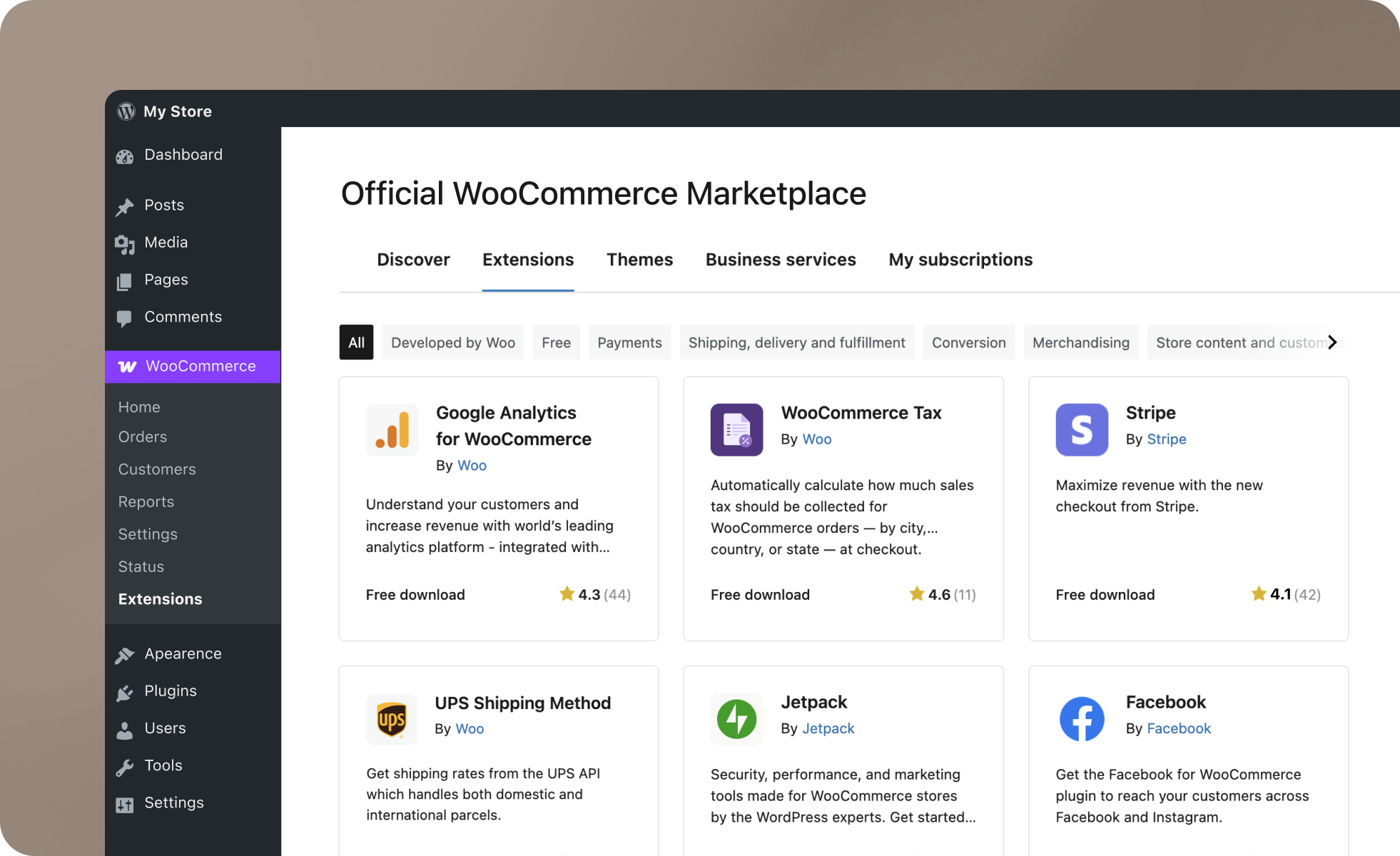
Woocommerce dominates WordPress e-commerce and represents 30% of global online stores according to BuiltWith 2026. Free and open-source, WooCommerce offers a unlimited scalability via more than 1500 official and third-party extensions. You benefit from unlimited products, complete e-commerce functionalities including:

  • Complex discount coupons with multiple conditions
  • Subscriptions and recurring payments
  • Loyalty programs and points systems
  • Multi-currency with 13+ supported currencies
  • Native dropshipping plugins (Modalyst, Spocket, Printful)
  • Physical point of sale (POS) to synchronize store and online
  • Real-time store management mobile application
Interface de WooCommerce
Woocommerce dominates WordPress e-commerce and represents 30% of online stores

Disadvantages include the initial configuration complexity, the need for efficient hosting because WooCommerce consumes a lot of server resources, heavy technical maintenance with regular updates and critical security issues since online stores are prime targets for hackers. The real WooCommerce TCO often exceeds initial estimates once you add high-performance hosting, essential paid extensions, and security maintenance.

The real total cost: Webflow more economical in the long term

Webflow displays transparent rates : Starter at 14 dollars per month, Basic at 18 dollars per month, CMS at 23 dollars per month and Business at 39 dollars per month. Everything is included: AWS hosting, automatic SSL, CDN Fastly, daily backups, and comprehensive infrastructure maintenance. The budget remains 100% predictable with no monthly surprises. The only potential additional costs concern paid marketplace apps (rare, 5-20 dollars/month) or complex third-party integrations requiring a one-time developer (500-2,000 €).

WordPress.org is free to download, but the Real TCO includes multiple positions often greatly underestimated during projects:

WordPress Total Cost of Ownership 2026
Cost Item Annual Range
Shared hosting €60 - €180/year
Managed WordPress hosting (Kinsta, WP Engine) €300 - €600/year
Premium theme (Divi, Avada, Astra Pro) €60 - €250/year
Premium plugins (Elementor Pro, WP Rocket, ACF Pro...) €150 - €500/year
Security (Wordfence Premium, Sucuri) €100 - €400/year
Developer/agency maintenance €600 - €2,400/year
TOTAL WordPress TCO €970 - €4,330/year

The total WordPress TCO varies between 970€ and 4330€ per year according to the choices of hosting, premium theme, essential paid plugins, and developer maintenance. These costs evolve unpredictably according to your growing needs for plugins, security incidents requiring urgent interventions, custom developments for specific functionalities and performance optimizations. The budget remains difficult to anticipate precisely over several years, unlike Webflow where the monthly subscription covers all infrastructure needs.

When should you choose Webflow?

Webflow is essential for agencies and freelancers creating client sites and wishing to deliver projects of professional quality without recurring technical maintenance. The transfer of ownership of sites with complete CMS autonomy facilitates the recurring economic model through content support and design evolutions. Customers manage their content independently without depending on the agency for each minor change, while having the possibility to ask the agency for larger changes.

Les startups and tech companies appreciate efficient corporate sites, landing pages optimized for conversion and the ability to iterate quickly without a backend developer. Core Web Vitals performance is becoming critical for acquisition in competitive environments where every tenth of a second of loading impacts the conversion rate. Teams can focus entirely on the product rather than wasting time maintaining the institutional site or marketing landing pages.

Les premium brands and high-end services value exceptional differentiating design, memorable seamless user experience, and flawless performance. Strategy, financial or legal consulting firms, luxury services such as concierge services or premium hospitality, high-end lifestyle brands benefit from total design coherence reinforcing the brand image. The site is becoming a real competitive differentiation tool, reflecting the company's premium positioning.

Finally, the projects without internal technical resources find perfect autonomy in Webflow. Marketing teams can modify the site, publish content via the CMS, adjust the design within certain limits, and create landing pages without constantly depending on a developer. This autonomy drastically reduces the time it takes to get online and the frustrations associated with technical dependencies.

When should you choose WordPress?

WordPress remains relevant for projects requiring very specific functionalities available only via specialized WordPress plugins nestled in. Specific business integrations such as complex reservation systems, multi-level approval workflows, advanced custom functionalities or connections to specific ERP/CRMs benefit from the rich ecosystem WordPress with its 62,000+ plugins.

Les companies with a competent technical team value maximum open-source flexibility. Experienced PHP WordPress developers in-house can effectively manage maintenance, security, performance optimizations, and advanced custom developments. The technical team becomes an asset that values WordPress flexibility rather than a constraint. These organizations can develop tailor-made solutions that are perfectly adapted to their specific needs without depending on a third-party platform.

Les very limited initial budgets find in WordPress an economical starting solution: shared hosting at 5 €/month combined with a quality free theme allows a minimal start. This initial savings implies accepting the maintenance burden and the safety risks in return. Personal projects, non-profit associations and small businesses with tight budgets can thus create a functional web presence before investing more.

Les complex e-commerce shops requiring more than 1000 products, native dropshipping, multi-currency to sell internationally, sophisticated loyalty programs, subscriptions or marketplaces find in WooCommerce an unparalleled ecosystem of e-commerce extensions. WooCommerce flexibility makes it possible to manage massive catalogs and complex e-commerce workflows that are impossible on Webflow.

Les community sites and forums benefit from mature plugins like bbPress for discussion forums and BuddyPress to create real social networks, member communities with profiles, private messaging, groups and activities. These community features remain difficult to replicate on Webflow without heavy third-party integrations.

WordPress migration to Webflow: a profitable investment

Businesses are migrating from WordPress to Webflow for several concrete reasons: time-consuming maintenance consuming precious hours every month, repeated security incidents requiring urgent interventions, poor performance despite the optimizations applied and impacting SEO, hidden costs associated with the accumulation of paid plugins and developer maintenance, and frustration with developer dependency for design changes that are conceptually simple.

The migration process takes 6 to 12 weeks depending on the complexity of the project. The first phase consists of an exhaustive audit of your current WordPress site: a complete inventory of static pages, blog articles, categories, media, possible custom post types and analysis of plugins to identify the critical functionalities to be reproduced in Webflow. Exporting SEO data from Google Search Console and Analytics makes it possible to identify the pages generating the most organic traffic that should be absolutely preserved.

WordPress to Webflow migration process
Phase Duration Key Actions
Phase 1: WordPress Audit 1-2 weeks Complete inventory pages/posts/media, critical plugins analysis, SEO export URLs and keyword rankings
Phase 2: Webflow Design 2-6 weeks Design recreation with graphic improvements, CMS collections structure, mobile/tablet/desktop responsive
Phase 3: Content Migration 2-4 weeks WordPress XML export + custom fields, Webflow CSV collections import, optimized WebP media
Phase 4: Redirects 1 week WordPress → Webflow URLs mapping, 301 redirects configuration, links/forms/integrations testing
Phase 5: Launch & SEO 2-4 weeks DNS migration to Webflow, Search Console/rankings monitoring, post-launch SEO optimizations

The design phase is the perfect opportunity to graphically improve your site rather than simply copying the existing one. Structuring Webflow CMS collections requires thought to properly model your dynamic content (blog articles, resources, team members, testimonies). Responsive mobile and tablet optimization requires particular attention to Webflow, which does not have WordPress automations but offers precise control.

Content migration combines WordPress export via XML and custom field extraction scripts, then Webflow import via CSV for CMS collections. Static pages often require manual copying with simultaneous content enhancement. The media are downloaded from WordPress and then re-uploaded to Webflow after optimization in WebP format and adapted compression. This step, although manual, guarantees clean and optimized content.

Mapping 301 redirects is the critical step in maintaining your SEO.. Each WordPress URL should correspond to a new Webflow URL, taking into account differences in permalink structures. Webflow Hosting allows you to configure redirects via a simple interface or bulk CSV import for important sites. Pre-launch tests meticulously check all internal links, forms connected to CRM, third-party integrations (analytics, ad pixels, chat), and mobile/desktop performance.

WordPress to Webflow migration costs 2026
Provider Type Price Range Details
DIY Migration €0 (time only) 60-120h time investment for average 30-50 pages + blog project
Webflow Freelancer €2,000 - €7,000 Based on complexity, page count, custom post types, design adjustments
Specialized Webflow Agency €5,000 - €20,000 Complete design overhaul, advanced SEO optimizations, team training
Expected Migration ROI +20-40% organic traffic 12-24 months post-migration + eliminate €600-2,400/year maintenance costs

The Migration ROI is rapidly becoming a reality on several levels. The elimination of WordPress maintenance costs estimated between 600€ and 2400€ per year represents immediate savings as early as the second year. Improving SEO performance typically generates between 20 and 40% more organic traffic according to feedback from specialized Webflow agencies, thanks to the excellent Core Web Vitals and the optimal technical structure. This growth in qualified traffic justifies the initial investment on 12 to 24 months for business-critical sites where organic leads are the main acquisition channel.

What to remember for 2026

WordPress and Webflow respond to radically different philosophies that it is essential to fully understand: flexible open-source versus managed SaaS, manual active maintenance versus invisible automated maintenance, massive ecosystem 62,000+ plugins versus controlled integrated platform.

Choose Webflow if you value above all the simplicity of maintenance with zero technical management on a daily basis, guaranteed native performance without complex optimizations, automatic security without permanent vigilance required, a tailor-made pixel-perfect design without a PHP backend developer and transparent predictable monthly costs. The solution is particularly suitable for agencies and freelancers delivering professional client sites, startups and tech companies wishing to focus exclusively on their product, premium brands that value exceptional design and memorable user experience, and autonomous marketing teams without permanent internal technical resources.

Choose WordPress if you have a competent technical team capable of effectively managing daily maintenance and proactive security, if you require very specific functionalities nestled only via specialized WordPress plugins, if you value maximum open-source flexibility with total code control, if you manage a complex WooCommerce e-commerce store with a large catalog and advanced workflows, or if your initial budget is minimal by consciously accepting the significant maintenance burden in return for the initial savings .

The 2026 verdict rationally points to Webflow for simplified maintenance, automated security, optimal native performance, and long-term operational simplicity. WordPress remains absolutely relevant for complex projects requiring maximum backend flexibility that is impossible elsewhere, with experienced WordPress technical teams valuing total control and ultra-specific functional needs covered by the mature plugin ecosystem. A gradual but clear change in the market has been observed with increasing WordPress migrations to Webflow in recent years, driven by companies tired of the time-consuming maintenance load, repeated anxiety-provoking security incidents and hidden WordPress costs that are systematically poorly anticipated during initial budgets.

Webflow eliminates concretely 95% of the WordPress technical load on a daily basis: no more manual updates to monitor every week, no more plugin conflicts to urgently debug, no more critical security flaws to patch immediately, no more server hosting to optimize continuously. This radical simplification frees up valuable human and financial resources to focus on creating direct business value rather than playing technical firemen all the time on the infrastructure of the institutional site.

Do you want to migrate your WordPress site to Webflow? Our agency Noqode supports companies and brands in their WordPress migrations → Webflow with guaranteed SEO preservation, design redesign and team training. Contact us to discuss your project or book a free strategic call 30 minutes to assess the relevance of a migration for your specific context.

WordPress vs Webflow FAQ

Is Webflow really more secure than WordPress?

Yes, significantly. Webflow's managed SaaS architecture eliminates 95% of classic WordPress attack vectors : no usable MySQL database access, no modifiable PHP files allowing malicious code injection, no third-party plugins creating vulnerabilities, automatic security updates invisible to the user. WordPress requires constant vigilance with 62% of sites targeted by annual hacking attempts according to the Wordfence 2025 report. Outdated or poorly coded plugins create critical flaws that are regularly exploited. WordPress security is still possible but requires technical expertise, paid plugins such as Wordfence Premium or Sucuri and constant active monitoring of logs and security alerts.

Is WordPress free unlike Webflow?

The WordPress.org software is free to download but the real TCO varies between €970 and €4330 per year including high-performance hosting, professional premium theme, essential paid plugins for cache/security/SEO and developer or agency maintenance. Webflow costs between €168 and €468 annually for CMS Starter plans with everything included: AWS managed hosting, automatic SSL, global Fastly CDN, backups and infrastructure maintenance. WordPress may seem cheaper initially with shared hosting at €60 per year and a free theme, but the real hidden costs add up quickly and are systematically underestimated during projects. The total budget depends on real needs and the honest inclusion of maintenance in the calculations.

Is it easy to migrate from WordPress to Webflow?

Migration is still possible but requires a structured and rigorous manual process. There is no automatic WordPress import to Webflow in one click. Migration involves the complete recreation of the design in Webflow Designer, the export and import of content via CSV for CMS collections (with rigorous prior formatting), the exhaustive mapping of 301 redirects to preserve SEO, and comprehensive pre-launch tests. Complexity varies considerably: A blog with 50 well-structured articles requires 2 to 3 weeks of work, while a corporate site of more than 100 pages with complex custom post types requires 6 to 8 weeks. Migration represents a strategic opportunity to improve design, structure and performance rather than simply copying what already exists.

Is WordPress more flexible than Webflow?

Yes for advanced custom backend development and complex business integrations. Open-source WordPress offers total code control with the theoretical possibility of modifying the WordPress core itself (not recommended but technically possible) and of developing complex PHP solutions perfectly adapted to your specific needs. The 62,000+ free and paid plugins cover niche needs very specific ones impossible to find elsewhere. Webflow, a proprietary SaaS platform, limits flexibility to the framework of visual development and custom code sections. However, WordPress flexibility implies increased technical complexity: heavy and time-consuming maintenance, frequent plugin conflicts requiring debugging, constant security vigilance and risks of instability. Webflow offers less absolute technical flexibility but greater design flexibility without a backend developer, a complete elimination of technical maintenance and guaranteed stability.

Can Webflow replace WordPress for a professional blog?

Yes, Webflow is a great fit for modern professional blogging. The Webflow CMS structures collections cleanly with articles, hierarchical categories, multiple authors and flexible tags. The article templates are fully customizable in terms of design without limitation, the technical SEO is optimal natively with semantic HTML structure and the excellent performance guarantees an LCP of less than 2 seconds. Limitations compared to WordPress include the lack of a native comment system requiring external Disqus or Commento integration, and a smaller plugin ecosystem for very specific features. Webflow excels for B2B corporate blogs, thought leadership, premium lifestyle magazines, and technical blogs where exceptional design and maximum performance take precedence over advanced community features. WordPress remains superior for community blogs that require discussion forums, complex member interactions, and elaborate gamification systems.

Does WordPress + Elementor equal Webflow?

No, significant differences remain despite similar appearances. Elementor is a great WordPress page builder with 12 million active installations and an intuitive drag-and-drop interface, but it generates HTML/CSS code that is heavier and verbose than Webflow, impacting performance. The dependence on the WordPress infrastructure persists entirely: manual maintenance, security to manage, hosting to be optimized separately. The performance varies drastically depending on the hosting chosen, the server configuration and the other active plugins. Webflow offers a powerful JAMstack architecture natively without configuration, AWS managed hosting included eliminating any technical management, and automatic security without intervention. However, Elementor combined with WordPress offers greater backend flexibility thanks to the plugin ecosystem, complex custom post types and specific business integrations. The choice clearly depends on your strategic priorities: exceptional design, maximum performance and operational simplicity point to Webflow, while maximum technical flexibility, massive extension ecosystem and custom backend developments point to WordPress + Elementor.