Claude Opus 5.5 and the Mobbin MCP, 600,000 design references to build a neobank website

10 minutes
.
September 30, 2026
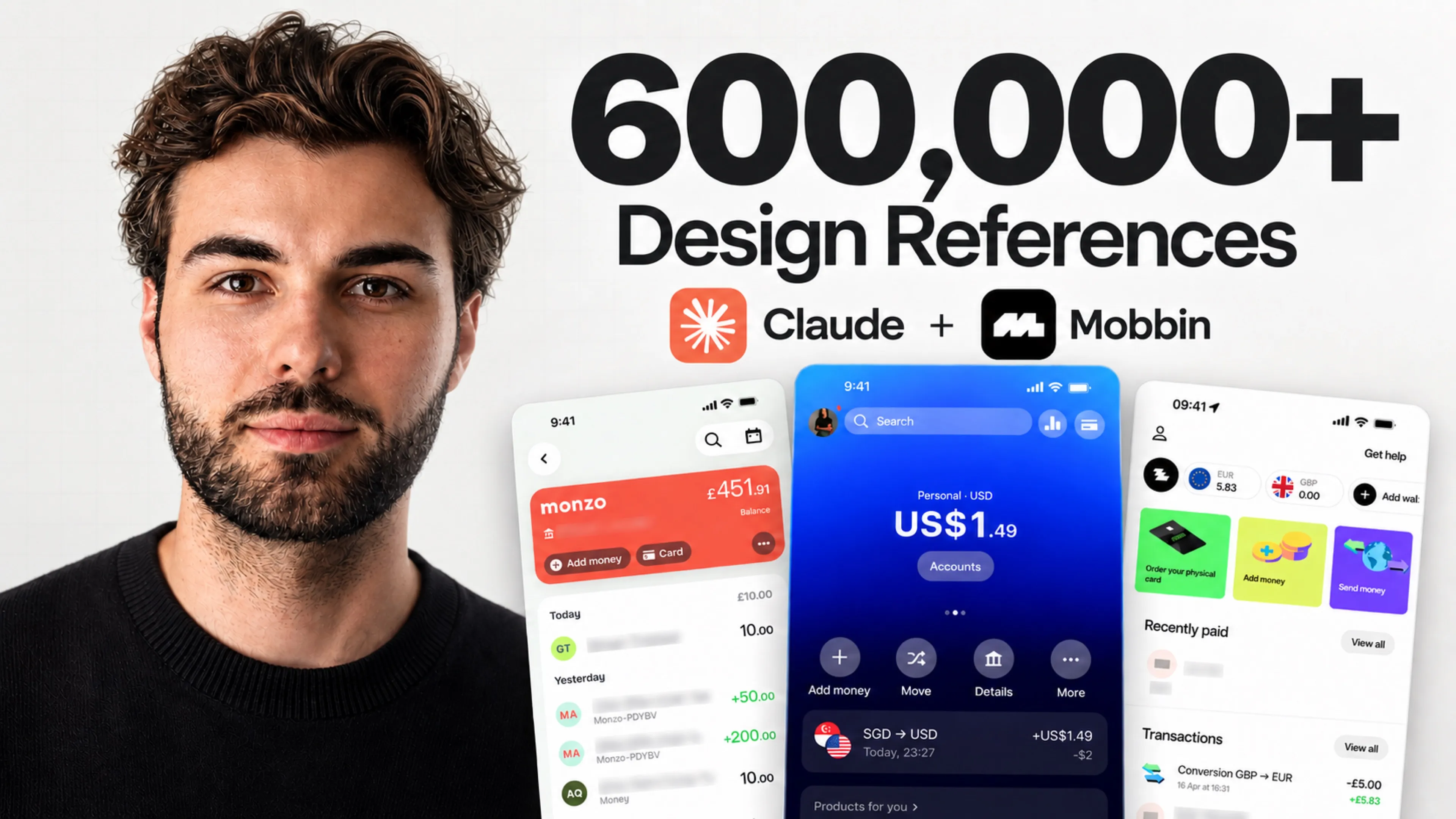
Claude Opus 5.5 delivered the complete website of Kova, a fictional neobank, in two hours for about $54 of API usage. The first version, built without any outside reference, already held up. The second went through the Mobbin MCP. Claude first studied the websites and apps of Revolut, Mercury, Ramp and Wise to write a 17-chapter report. It then redesigned the site based on its own conclusions. The video below shows every step. This article covers the method, the content of the three prompts, the costs we recorded and the limits of the test, seen by a Webflow agency that designs this kind of website for its clients.
Anthropic released Claude Opus 5.5 on September 22, 2026. The model costs $4 per million input tokens and $20 per million output tokens, against $5 and $25 for Opus 5, which is 20% less per token. Anthropic also reports output generated more than 30% faster than Opus 5 and a level comparable to Claude Fable 5.1 on most tasks. On Terminal-Bench 4.0, Opus 5.5 scores 66.4%, ahead of GPT-6 Astra at 57.9% (Anthropic announcement).
Claude Opus 5.5 pricing per million tokens
Public API pricing, compared with Opus 5.
Input
$4 / M tokens
$5 on Opus 5 · −20%
Output
$20 / M tokens
$25 on Opus 5 · −20%
Cache reads
$0.20 / M tokens
$0.50 on Opus 5 · −60%
Source: Anthropic. Anthropic puts the total cost 40% below Opus 5 on typical workloads.
Opus 5.5 leads the three coding benchmarks published by Anthropic
Success rate, in %. Same 0 to 70% scale for all three tests.
Terminal-Bench 4.0
Agent tasks in a terminal
FrontierCode v1.1
Software engineering, main set
CursorBench 4.0
Coding tasks in the Cursor editor
Source: Anthropic announcement of Claude Opus 5.5, September 22, 2026. Opus 5.5 evaluated at max effort. On Terminal-Bench 4.0, Opus 5.5 is measured at xhigh effort and GPT-6 Astra at high effort, with a margin of error of ±2.6 points for Opus 5.5. n/a: score not published.
None of these scores measures the quality of a screen. Anthropic does state that Opus 5.5 received the best ratings of all tested models for graphics and polish. But a model does not know on its own what a good neobank interface looks like. Without guidance, it reproduces an average of the whole web it has read. To get out of that average, it needs precise references and a brand context, like a designer who opens their inspiration folders before drawing.
Mobbin is a library of references taken from live products. It holds mobile and web app screens, complete flows such as a sign-up or a checkout and website sections such as a hero or a pricing page. The platform claims more than 600,000 screens. Until now, a designer who wanted to document a flow had to record it themselves, screen by screen. The Mobbin MCP lets Claude search these references in natural language, before drawing a single pixel.
The server exposes three tools, search_screens for screens, search_flows for multi-step flows and search_sections for website sections (Mobbin documentation). Access requires a Pro, Team or Enterprise plan. The Pro plan costs $10 per month billed yearly, or $15 per month billed quarterly. We had already documented Webflow automation with Claude through the MCP and Claude skills applied to homepage design. Those two uses gave Claude access to the CMS and a brand framework. Mobbin brings the visual references it could not look up on its own.
The MCP tab of the Mobbin profile lists the other compatible clients, including Claude Code, Cursor and Codex. A connector added in Claude Desktop is picked up automatically by Claude Code, with no extra setup.
The first prompt, run on Opus 5.5 at “extra” effort, asks for the complete Kova website in six pages. The home page has to show a preview of the app and the account balance. The cards page presents the plans and their benefits, which the pricing page then compares. The security page covers payment protection and support. An about page and a contact page complete the set. The site is in English, with a language selector for French, Spanish and German, without translation at this stage.
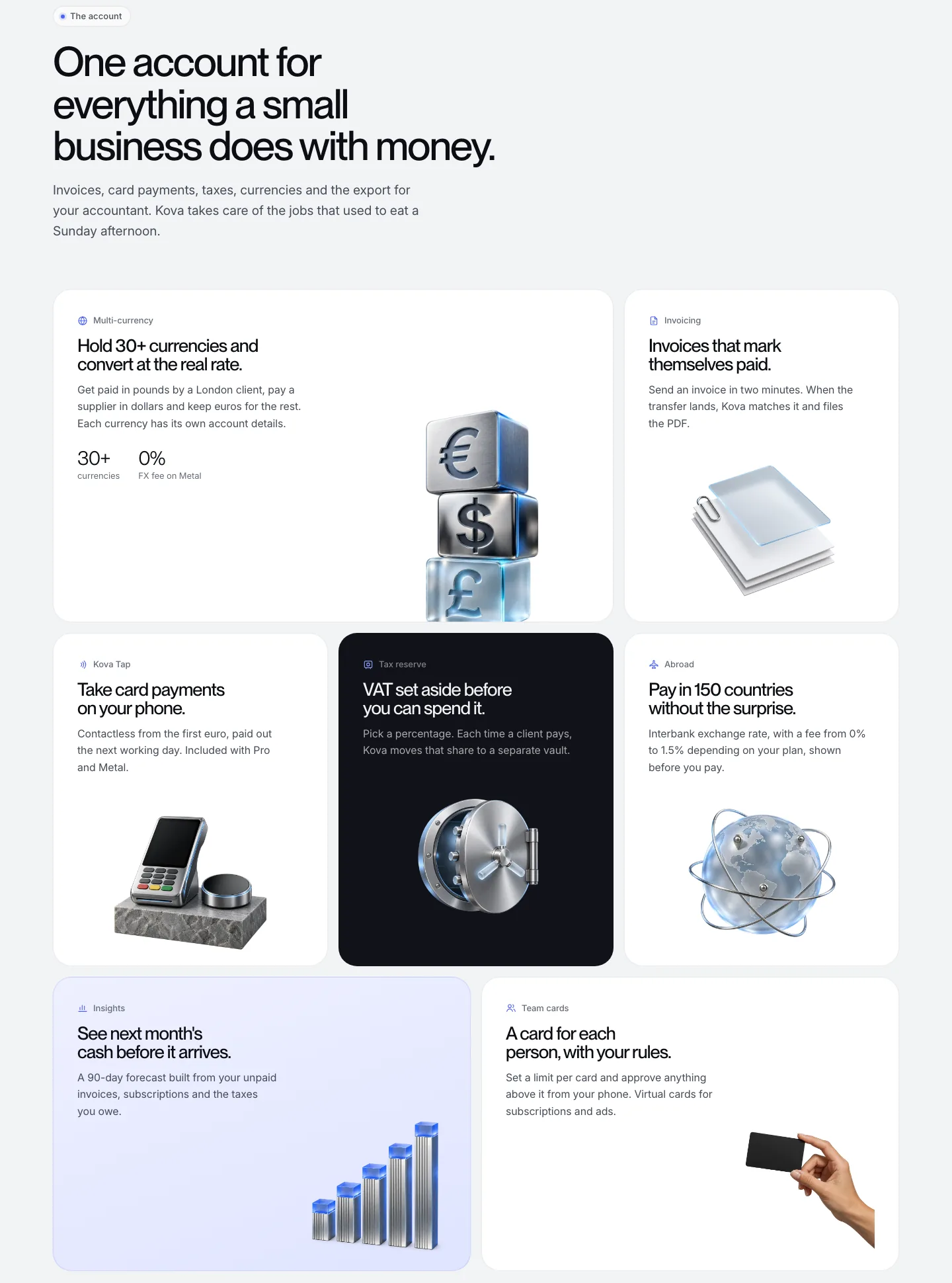
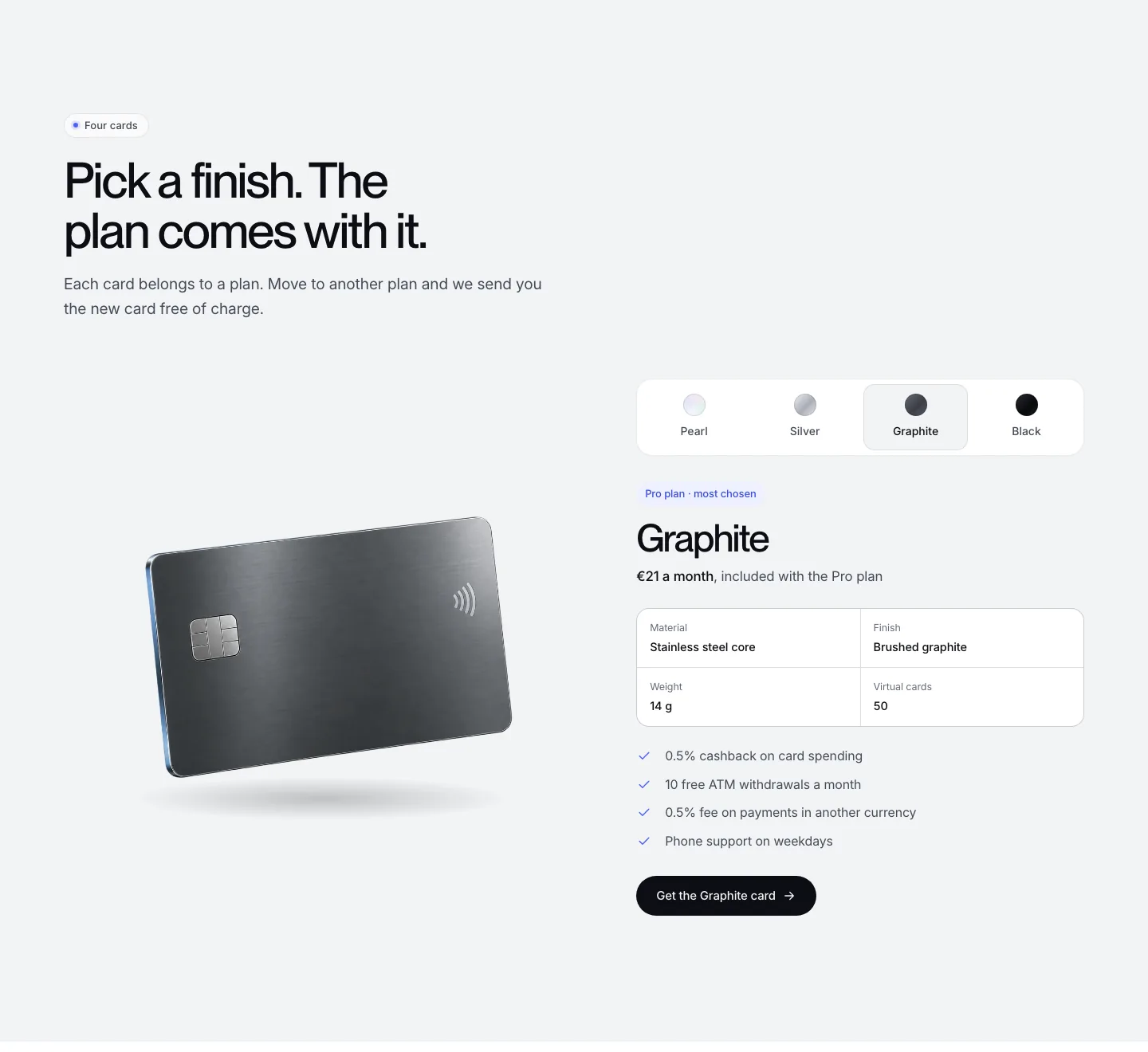
The visuals come from an asset folder generated with ChatGPT before the test, based on neobanks such as Revolut. Lifestyle photos, 3D objects, bank cards, a glowing halo... a visual register neobanks use a lot. Claude remains weak at image generation, where ChatGPT is very comfortable. So we split the work between the models, each on its strength.
The brief sets PP Neue Montreal for headings, with all its weights, and Inter Variable for body text. Two imposed typefaces stop Claude from going in every direction. They also give the site a signature from the first version, with no back and forth on the brand guidelines.
Claude took 35 minutes to generate the V1, for an estimated API cost of $12.57. The result is solid without a single outside reference. The home page sets up a bento grid that reuses the 3D objects, with a small animation. On the cards page, prices change when you select a card. The requested comparison of all the cards is complete. The contact form shows its error messages and the site works smoothly on an iPhone 16.
The app preview, however, still looks like an interface out of Claude Code or Lovable. It lacks the finesse of a polished banking app, even though Claude chose to make it the central argument of the site. The about page also falls short. This V1 owes its quality mostly to the assets and typography provided in the brief, which Opus 5.5 used without any outside reference.
The second prompt connects the Mobbin MCP and forbids touching the site. It asks for an HTML report on the most relevant neobank and fintech websites, their patterns and their visual direction. It adds research on mobile banking app flows, since Claude had chosen to put the app at the heart of the site. Finally, the prompt asks for a complete redesign plan and for the report to be saved in a “report” folder.
The report has 17 chapters and 55 annotated screenshots taken from 27 brands. Claude collected 34 website sections, 21 iOS banking app screens and 3 business account opening flows from Revolut, Mercury, Ramp, Slash, Wise, Monzo, Starling and N26. Each screenshot links to its Mobbin page. At this point, the session totals 54 minutes and about $22.
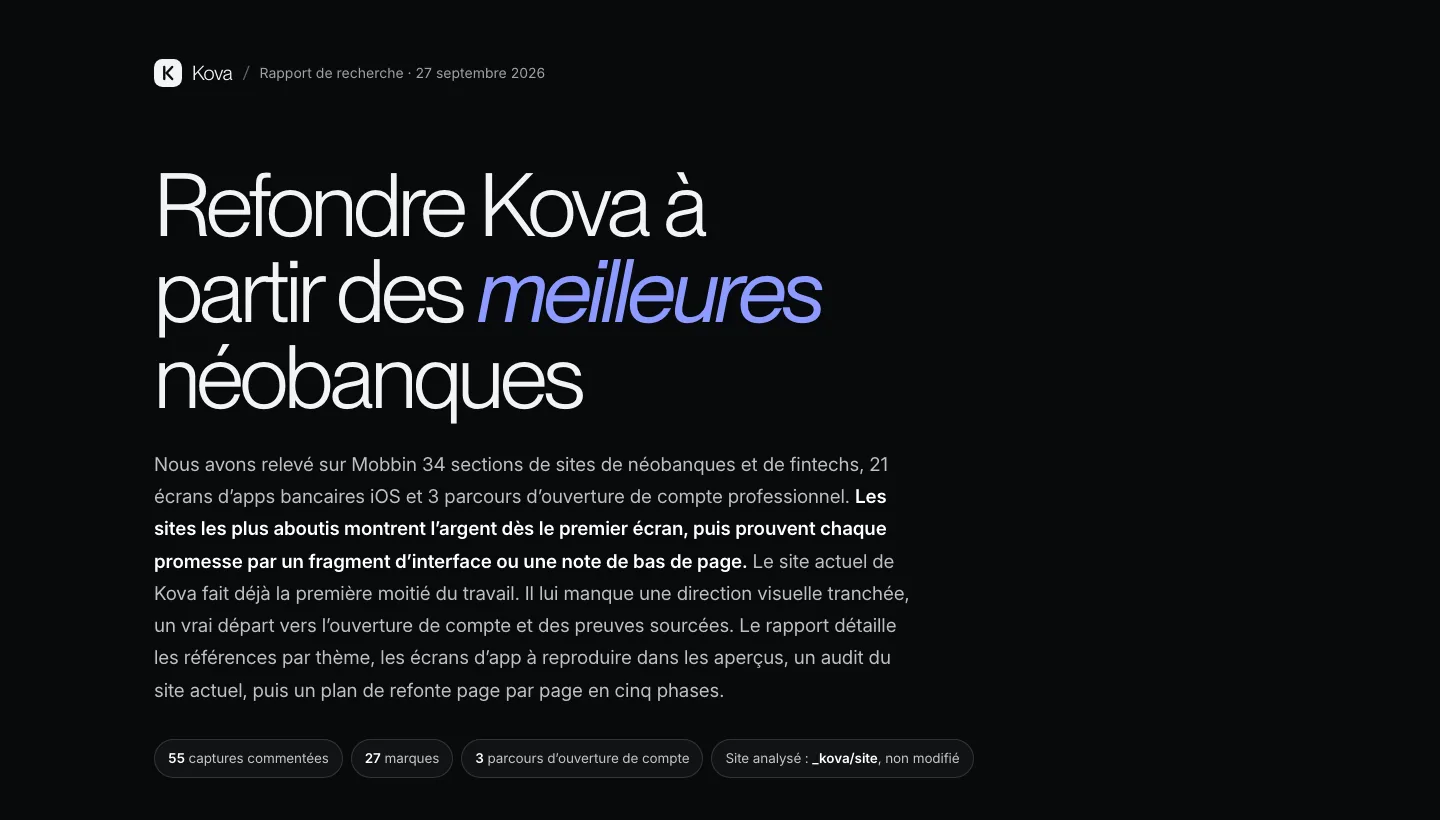
The report then compares Kova with the references, page by page. It praises the interactivity of the V1, rare among the competitors reviewed, then ranks its weaknesses by severity. Each finding comes with a fix and the Mobbin references that support it.
| Claude finding on the V1 | References cited |
|---|---|
| “Open an account” leads to pricing, then to the contact form, with no account opening flow | Mercury, Ramp, Monzo and Monese flows |
| The glowing arc in the hero closely resembles the signature of Revolut Business | Revolut Business |
| License, €100,000 guarantee and 4.8/5 rating shown without a source | Ramp, Revolut |
| The app appears in a dark theme in the hero and a light theme in the dashboard | N26, Lloyds |
The clearest recommendation concerns identity. Claude proposes a light base in the style of Mercury and a single dark chapter for cards and security. The blue light edge of the 3D objects replaces the planetary arc as the Kova signature.
The third prompt starts the redesign in a V2 folder, without changing the V1. It also asks Claude to check at the end that the visual direction follows the patterns set out in the report. The full session reaches 2 hours for an estimated API cost of $53.88. This total includes a few follow-up prompts to fix typos and rework parts we did not like.
Two hours of Claude session, phase by phase
Duration and estimated API cost of each step of the Kova test.
Duration2 h in total
Estimated API cost$53.88 in total
Estimates read in the Claude session: 35 min and $12.57 after the V1, 54 min and about $22 after the report, 2 h and $53.88 at the end of the session. The amounts per phase are derived from these running totals.
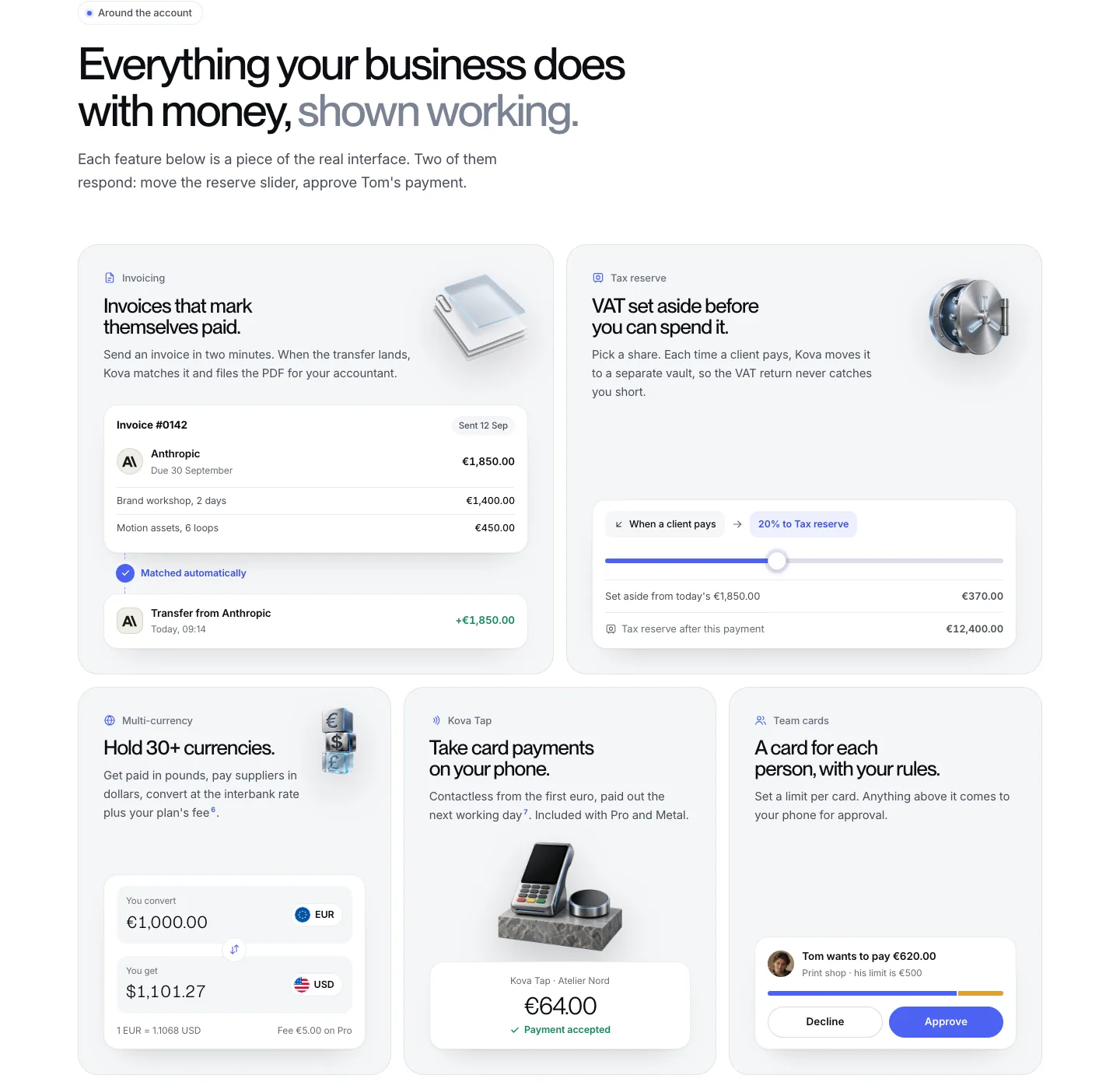
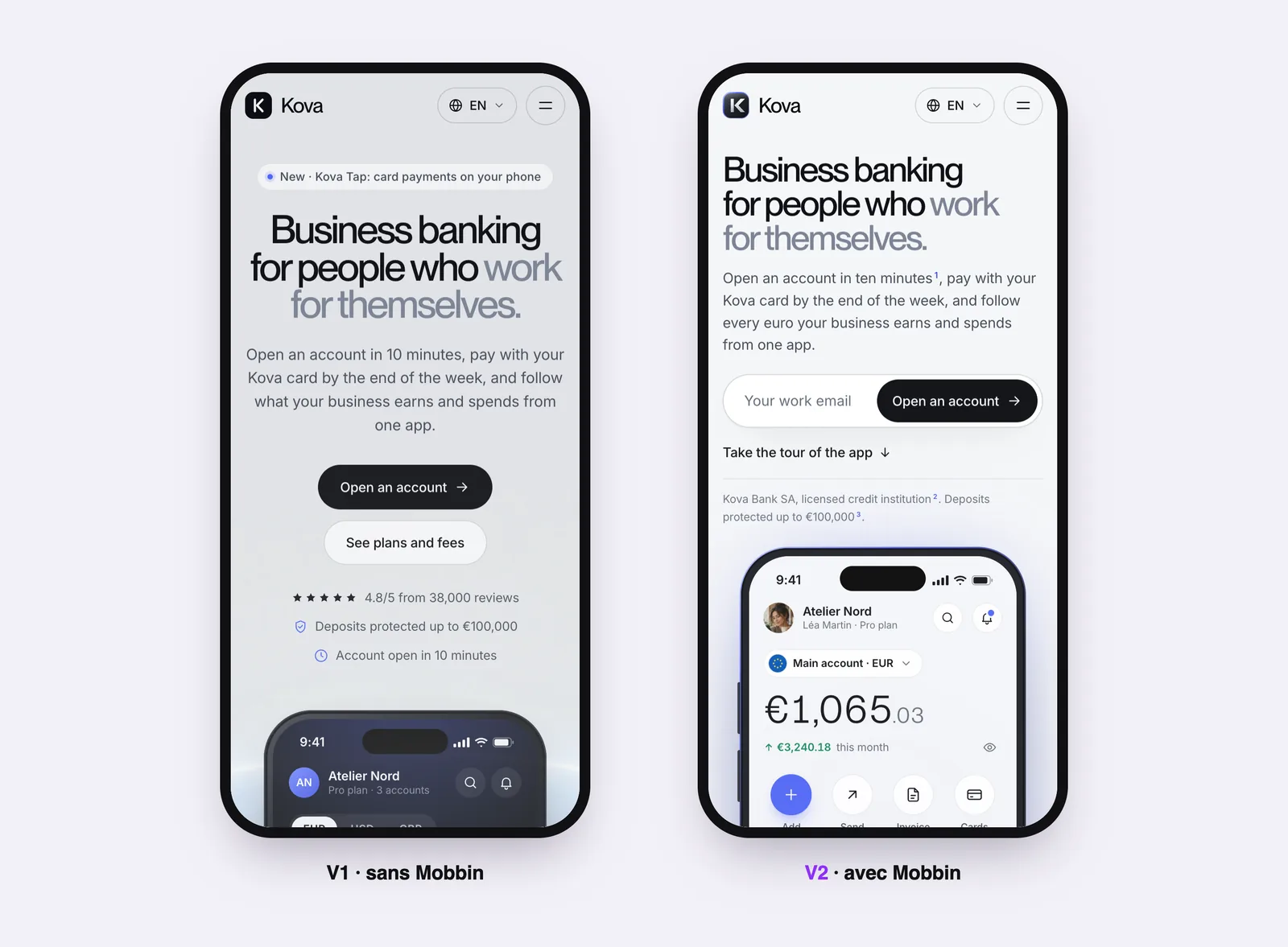
The report noted that Kova was selling a mobile app without highlighting it on the first screen, where the phone shared the space with two cards, two notifications and the glowing arc. The V2 keeps only one phone in the hero, with the balance and an email field to open an account. Its bento grids are organized around the app features and a QR code lets visitors download it. Drag the slider to compare the two home pages.
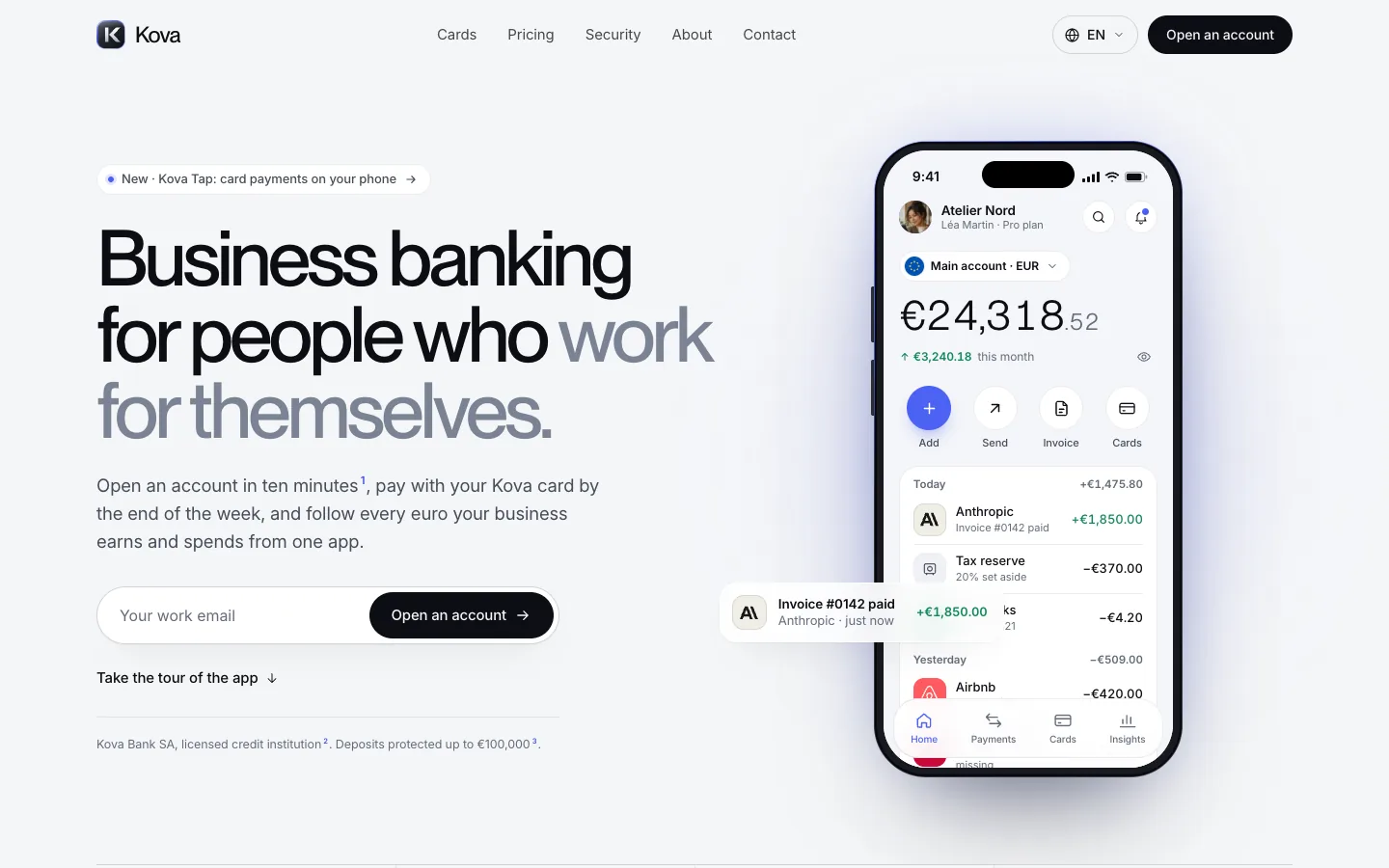
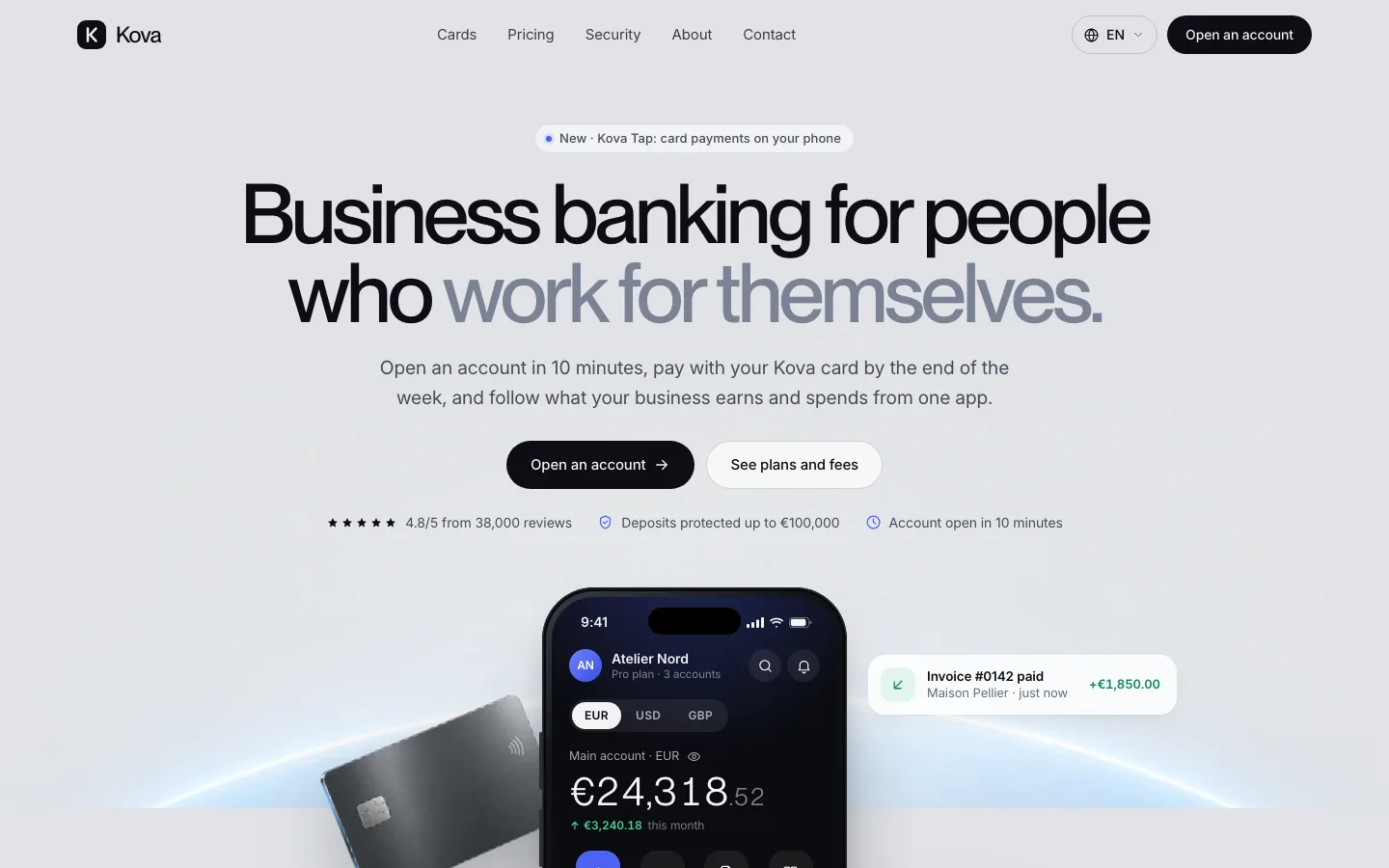 V1 · without MobbinV2 · with Mobbin
On request, Claude added real merchant logos, flags for each currency and avatars cropped from the assets. These details change how the design reads, provided you supply them or ask for them in the prompt. The logo shown for OVHcloud may not be the right one. Every logo Claude retrieves still has to be checked before publication.
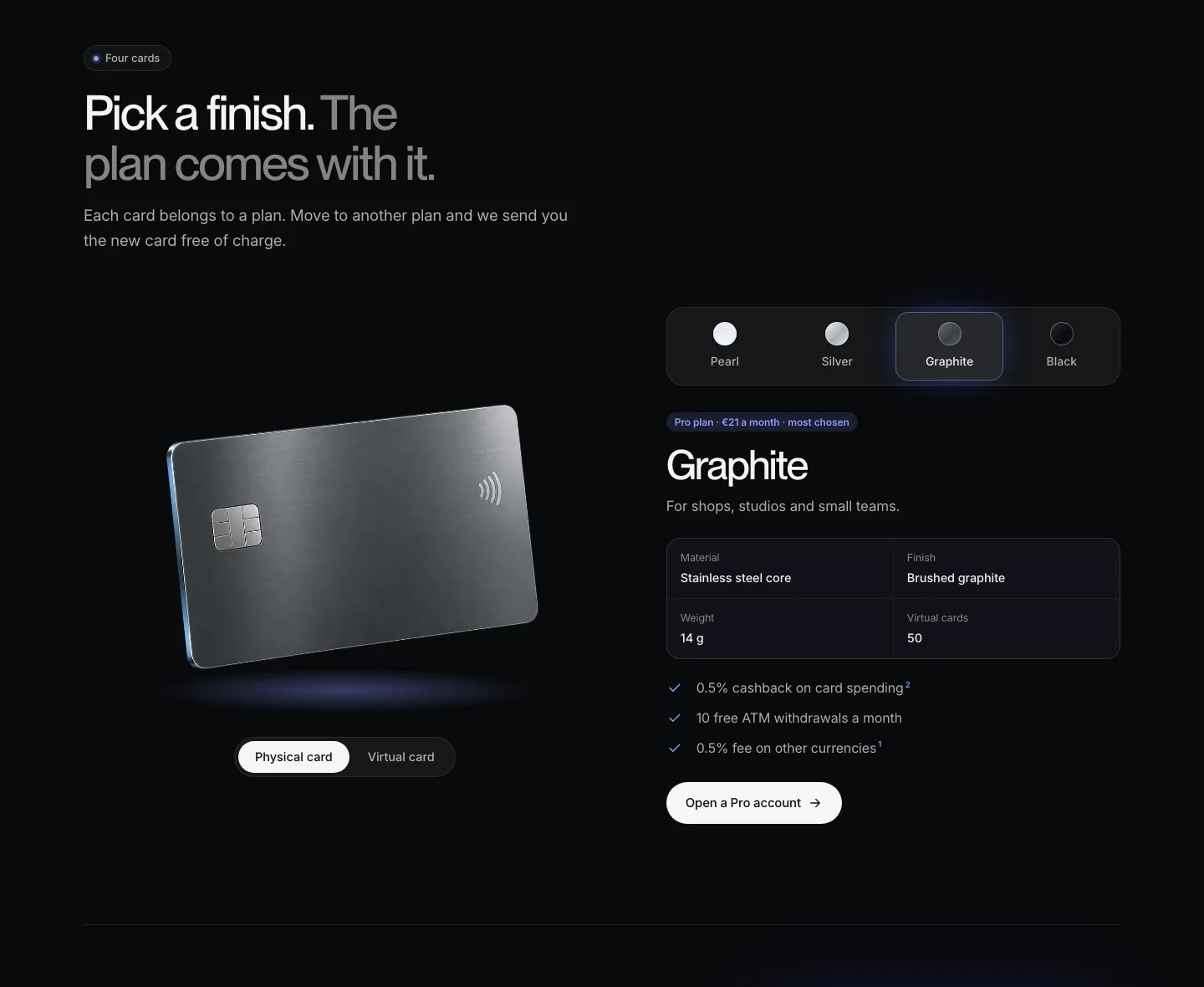
The cards page switches to dark mode, with a toggle between physical and virtual cards. The comparison header stays fixed while scrolling. The security page keeps the 3D objects and the interactive card controls demo, with a support illustration in chat bubbles that is very common among neobanks. The about and contact pages change little from the V1, including the about page we found weaker.
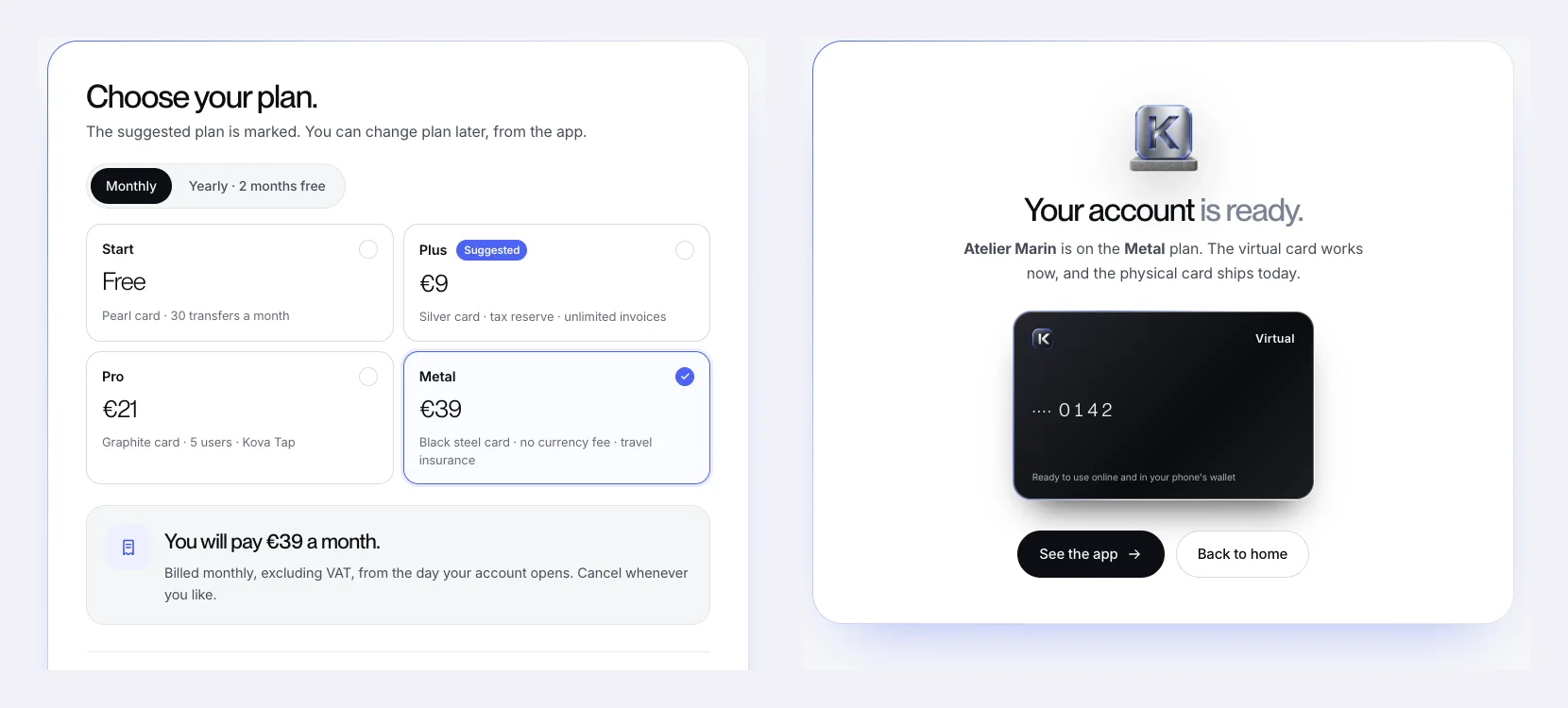
The most visible addition sits behind the “Open an account” button. Claude built the flow recommended in its report, modeled on the flows of Monzo, Monese and Wise. You enter your work email and your company, tick your needs, choose a plan with the price confirmed before validation, then verify your identity with a simulated passport. The flow ends on the “Your account is ready” screen. The prototype sends no data, but the flow can be tested end to end.
| Criterion | V1 without Mobbin | V2 with Mobbin |
|---|---|---|
| Cumulative time | 35 min | 2 h |
| Cumulative estimated API cost | $12.57 | $53.88 |
| Outside references | None | 55 screenshots, 27 brands |
| App preview | Generic style, two different themes | In the foreground, with logos, flags and avatars |
| Account opening | Sends visitors to pricing and contact | Four-step flow |
| Visual direction | Light and dark blocks alternating | Light base, one dark chapter, blue light edge |
Kova is a fictional brand. The site never received a visitor. So we cannot say anything about its conversion. Both versions are static HTML pages, with no back end or CMS, far from a production website. The costs shown are API usage estimates read in the session, not an invoice. Mobbin itself points out that its examples show how products are designed, without proving that a pattern improves performance (Mobbin documentation). Qonto does not appear in the catalog Claude queried. The references in the report therefore remain mostly American and British.
For a client project, the Kova site would help settle the visual direction earlier, with references the client can open one by one. The site would then still need to be built in Webflow, with a CMS the client team knows how to edit, and the SEO and markup read by LLMs would need to be set up. Finance websites add a regulatory constraint on every claim, which Claude’s report had already flagged by asking for sourced notes. Ongoing follow-up matters as much as the launch. It is the job of growth support, which measures the site and improves it every month.
A fintech website is judged on the credibility of every screen and every figure it claims. Thirty minutes are enough to set its visual direction and scope with our team. Book a call.
No. The Mobbin MCP requires a Pro, Team or Enterprise plan. The Pro plan costs $10 per month billed yearly, or $120 per year, or $15 per month billed quarterly. A free account only lets you browse part of the library on the Mobbin website, with no connection to Claude.
Opus 5.5 is available on the Claude Pro, Max, Team and Enterprise plans, as well as through the API. The Mobbin connector is added from Claude Desktop or the web version, under Customize, then Connectors. On Team and Enterprise plans, an administrator sometimes has to approve the connector before the first connection.
In this test, the full session represents an estimated API cost of $53.88 over two hours, including $12.57 for the first version in 35 minutes. This amount does not include the Mobbin plan, the generation of the visuals with ChatGPT or the integration into a CMS for production.
Not at the expected level for lifestyle photos or 3D objects. For those of Kova, we used ChatGPT, which is much more comfortable with image generation. Claude then placed these visuals page by page, with no instructions on where to put them. It also drew the Kova logo in SVG, requested during the session.