Claude + Skills: the workflow to generate a home look and feel ready for Figma

9 minutes
.
May 8, 2026

In 2026, the question is no longer whether web agencies will integrate AI into their design workflow. It is to know which ones have it structured sufficiently to take a real advantage in terms of their deadlines, their quality of delivery and their ability to project the client from the first weeks of the project.
At Noqode, Webflow agency specialized in AI Claude, we use Claude associated with Skills for several months to accelerate the exploratory design phase. It is not a technology demonstration. It is an operational process that we apply to our customer projects, and that we wanted to document here in a concrete way.
In this article, we detail each step of the workflow: how to structure the project brief for Claude, how to configure Skills with a complete design system, why images change the quality of the rendering, and what we actually do with the result. All illustrated on a fictional customer case, Vektis Conseil, an independent consulting firm.
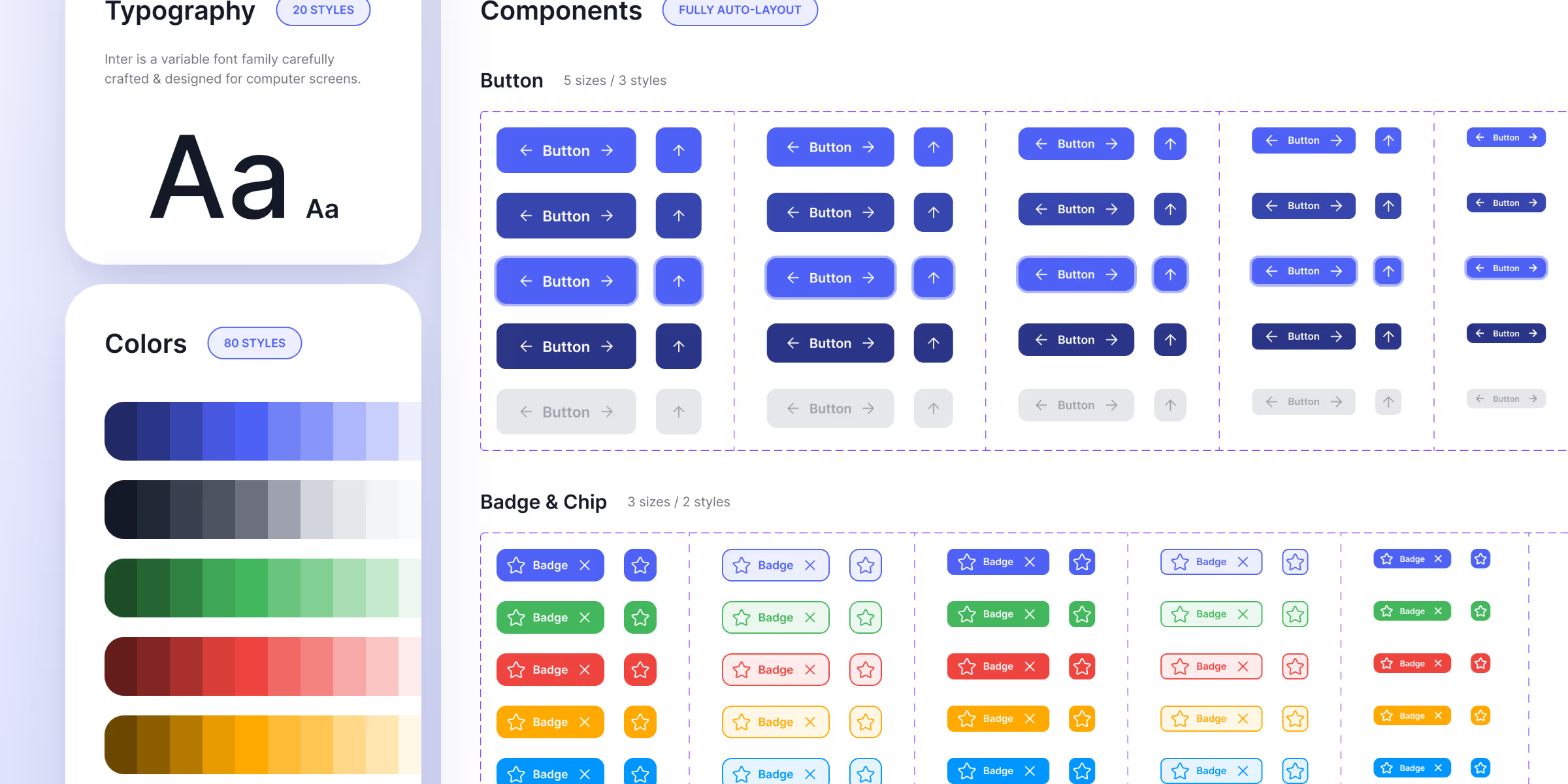
One Skill, in the Claude ecosystem, is a Markdown file that the AI consults as a permanent reference during its generations. Concretely, instead of copying your design tokens into each prompt, you create a file once brand-client.md which contains the entire design system: primary and secondary colors, fonts with their families, bodies and fats, Spacing scale in rem and in pixels, border-radius values, elevation and shadow rules, basic components and their variants, and especially the rules of use, that is, what you are allowed to combine and what is forbidden.
Claude loads this file and applies it to each generation without you having to repeat it. That is what distinguishes an outing consistent with the customer's identity of a generic release. And that's what makes the Skills + Project Context combo really usable in agency production, not just as a demo.
The official Skills documentation is available on the Anthropic website. Our tool sheet dedicated to Claude also details the available models and our concrete use cases in agencies.
To illustrate this workflow, we built a Representative fictional customer case Ofa type of project that we regularly encounter at Noqode. The client is called Vektis Conseil. It is an independent consulting firm founded in 2011, with 17 senior consultants and 2.8 million euros in turnover. Three exclusive areas of intervention: organizational restructuring, operational performance management, and change management on transformation projects.
Its priority target is the managers and managing directors of ETI in the industry, B2B distribution and services sectors. Profiles wary of big firms, who are looking for a partner who understands the constraints of the field, who reads little and who judges quickly. The positioning is clear: not the cheapest, not the biggest, but the most rigorous in its segment.
The existing site dates from 2019 under WordPress, retouched in 2022. The problems identified during the kick-off are classic but real: too institutional copy that does not speak to the leading target, no visible social proof from the very first seconds, structure designed as a commercial brochure rather than as a conversion tool, and a total invisibility on LLMs despite a correct organic SEO.
The project context is the founding document of each of our missions. Before generating anything, we fill in a structured instruction file that Claude will be able to read as a permanent source of truth about the project.
Not a vague marketing persona, but a specific profile with a function, sector, company size, psychological posture, reading behavior and known objections. For Vektis, this means: managing director of an industrial ETI of 150 to 600 people, distrustful of general consultants, who reads diagonally and judges credibility in less than 10 seconds on a site.
What the customer is, what he is not, his real differentiators. Generic formulations are avoided to force clear positions that Claude can transcribe in the copy.
The words that the customer himself uses (rigorous, on-the-ground, committed, direct, measurable) and the List of words to ban (innovative, agile, excellence, recognized expertise). This point alone drastically improves the quality of the copywriting generated.
An industrial ETI of 400 people restructured in 8 months, a B2B distributor with +31% productivity over 18 months. Claude naturally integrates them as social evidence in the appropriate sections.
They allow Claude to understand what needs to be corrected, not just what needs to be created. A site that lacks social proof will structurally receive more social proof in the generation.
These are URLs of sites in the sector or outside the sector that come out a bit. Not for copying, but for Framing the level of visual ambition and release generic releases.
With all the pages, their slugs and their goals. This way Claude knows what each page must do before generating any section. This instruction document is between 2 and 4 pages long. It is the upstream work of the project manager, built after the customer call. Claude does not replace him.
Once the context is set, Skills are attached. For a homepage design project, three of them are used in parallel.
brand-vektis-council.md is the customer-specific skill. It contains the entire design system created beforehand: the color palette with their exact hexadecimal values, the fonts (families, sizes by hierarchical level, weights, line-heights, letter-spacing), the spacing scale in rem and in px, the border-radius values per component, the border-radius values per component, the elevation and shadow rules, the basic component library with their states, and the strict rules of use which specify which combinations are allowed and which are forbidden. This last point is crucial: without rules of use, Claude takes liberties that break the coherence of the system.
frontend-design.md is Anthropic's front-end skill, available publicly on The official GitHub. It frames the best practices of semantic HTML structure, accessibility, modern interface patterns, and CSS code quality.
seo-content.md is our internal writing skill, which forces Claude to produce content structured for search engines and LLMs, with direct answers at the beginning of the section, controlled semantics, and a snippet-ready format. It is part of our approach Native SEO and AEO that can be integrated into all projects.
Skills are called directly in the prompt with the syntax /skill-name. Claude loads them and applies them to the generation without additional configuration.
The skill brand is the most structuring file in the workflow. Its quality directly determines the consistency of the outputs. Here is the structure that we apply to our projects.
The header Put the context in two lines: client name, nature of the project, expected use of the file. Claude reads this letterhead first.
The colors are documented with their exact hexadecimal values, organized by role: primary color, secondary color, neutral color, status color (success, error, warning). Rules of use are systematically added: on what background this color is authorized, what combinations are prohibited for reasons of contrast or identity.
Typography lists the families used, the sizes by hierarchical level (H1 to H6, body, caption, label), the associated weights, the line heights and the letter-spacing. Fallback rules for the web are also specified.
The spacing Document the scale used in rem and pixels, with the correspondence between the levels (xs, sm, md, lg, xl) and their exact values.
The components describe the basic elements: buttons (primary, secondary, ghost, disabled), cards (with their variants), inputs, badges, tags. For each component: border-radius, padding, interactive states.
The rules of use are the most important part. They specify what Claude is allowed to do and what is explicitly forbidden: no shadow on a dark background, no secondary color in the full-page background, no body text in weight 700, etc. Without these rules, Claude takes creative liberties that break coherence.
A file design.md Well built has between 200 and 400 lines. It is built once per customer, starting from the existing Figma design system or by creating it simultaneously. Once in place, it can be reused throughout the duration of the project without modification.
Before launching the generation, we attach 4 Unsplash images selected in line with the client's universe. For Vektis Conseil, we chose images that evoke field consulting without falling into corporate stereotypes: industrial workspaces, meetings in real situations, environments that speak to the ETI target.
This detail counts a lot on the visual quality of the rendering. Claude does not generate abstract placeholders or gray rectangles. He Really compose with the images provided, positions them in the appropriate sections, and adapts the color and contrast choices accordingly. The result is immediately more entrenched and more credible than a generation without visual support.
The final prompt is deliberately short:
Create a first version of the homepage based on the context in the project instructions. Use the images in the attachment and rely on the SkillsFrontend-designandBrand-Vektis-Conseil.
All the work is in the preparation, not in the prompt. A 3-page brief + two well-configured Skills + 4 images: Claude has enough material to produce something just right without needing to detail each section in the message.
The generation takes 5 to 10 minutes. Two or three variations are generally launched to have different biases to compare. The second or third version is often the best, especially because Claude refines his interpretation of the design system between iterations.
The question comes up often. Lovable and Bolt also generate interfaces from a prompt, they are more accessible, and some present them as direct alternatives. Our choice of Claude for this workflow is not ideological, it is functional.
The tipping point is mastery of the design system. Lovable and Bolt generate correct interfaces from scratch, but they don't make it possible to encapsulate a complete client design system and to recall it reliably over each generation. Claude's Skills solve exactly that problem. We charge brand-client.md once, and each output respects the tokens, the rules of use and the components defined beforehand. This is non-negotiable in an agency context.
Lovable and Bolt remain relevant for rapid prototypes without brand constraints, or for personal projects where speed takes precedence over consistency. In an agency context with a client who has an existing identity, a precise brief and quality requirements, Claude + Skills is the only tool that allows capitalize on the work beforehand and to reliably reinject it into each generation.
Claude's release is an internal work base, not a customer deliverable. We don't send it, we don't show it as it is. This point is non-negotiable.
On the other hand, it fulfills a specific function in our workflow: it Compress the blank page phase Who precedes the real ones Figma wireframes. The Noqode design team started from this base to produce two to three customer homepage variants, each with a distinct artistic direction, before moving on to Webflow production.
The gain is measurable. Strategic thinking and positioning are already documented in Claude's brief. The design tokens are already installed in the Skill brand. The key sections are already structured in the output. It remains to refine, elevate, and deliver, not having to start from scratch.
This workflow is part of a wider logic of integrating AI into our agency processes, whether it is the Claude x Webflow native connector via the MCP to operate the CMS directly from a conversation, or to generate structured content for the AEO.
That is the most important lesson. A brilliant prompt on a fuzzy brief produces credits. A structured 3-page brief with a simple two-line prompt produces accuracy. The time invested in the instruction document always pays off.
What we used to do by pasting design tokens into each prompt is now capitalized once and for all. A design system documented in Skill can be reused on each session without losing consistency.
The kick-off, the definition of the site tree, the choice of visual references, the construction of the tone of voice, the selection of images: all this remains human. Claude performs better when the strategic work at the outset is serious.
Generating three look and feel variants in a few minutes, where the same exploration took half a day on Figma, changes the dynamic of validation with the customer. You come to meetings with concrete proposals, not intentions.
A Skill is a Markdown file attached to a Claude project that the AI consults as a permanent reference. It can contain a complete design system, SEO writing rules, an operational process or any other structured framework. Claude applies it to each generation without you having to repeat it in the prompt.
No The output serves as an internal working base for the exploratory phase. The client version is then produced on Figma by the design team, then integrated on Webflow. The Claude generation reduces the blank page phase, it does not replace design work.
At least three: a customer-specific skill brand with the complete design system, the Skill Frontend-design by Anthropic for the quality of code and interface patterns, and a Writing Skill to frame copywriting. All three combined produce visually and editorially coherent output.
The generation itself takes 1 to 2 minutes. Preparing the project context and creating the skill brand require several hours of work beforehand. It is an investment that pays for itself over the duration of the project and is reused over each work session.
We use Claude Opus 4.7 as the default template on our projects. For complex design and generation tasks that require high fidelity to Skills, Claude Opus 4.7 produces more accurate results.
Project Instructions are permanent text instructions attached to a Claude project, visible and editable directly in the interface. Skills are external Markdown files, more structured and denser, which make it possible to encapsulate complex systems such as a complete design system or a writing process. In practice, we use Project Instructions for the project context (target, positioning, objectives) and Skills for technical frameworks (design system, code rules, SEO guidelines).
No Claude generates an exploratory base in HTML/CSS that is used to accelerate the visual thinking phase. Figma remains the tool for producing real customer deliverables: pixel-perfect precision, interactive components, prototyping, real-time collaboration and developer handoff. The workflow is sequential: Claude squeezes the blank page phase, Figma takes over for everything that follows.
Yes, with the right Skills and a structured brief, Claude can generate a first version of a design system: color palette, typographic scale, spacing system, basic components and their variants. The result is a solid starting point, not a final deliverable. The generated design system must be reviewed, refined and validated by a designer before being used in production. It is used as a basis for building the project's skill brand.
The prompt itself should be kept short and simple. All the complexity should be in the project brief and the Skills, not in the prompt. A formulation like “Create a first version of the homepage based on the project instructions and the frontend-design and brand-client skills” is enough. A prompt that is too detailed creates conflicts with the instructions already set in the Skills and degrades the quality of the output.