Webflow SEO: the method to really rank (even with AI)

13 minutes
.
June 6, 2025

In a context where Google is redefining the SERP with AI (AI Overview), where Core Web Vitals performance directly impacts SEO and where UX standards are becoming essential, SEO on Webflow can no longer be satisfied with a few surface optimizations.
In this guide, we share 10 concrete, actionable SEO levers you can activate today on your Webflow project, with one goal: turning your site into an acquisition channel.
| Key step | Webflow action | SEO impact |
|---|---|---|
| Heading tags | A single H1 per page, H2–H3 cascade | Clarifies the topic & strengthens semantic signals |
| Title & meta | ≤ 60 chars / ≤ 155 chars + an emotional hook | ↑ CTR & rankings |
| Short slug | /main-keyword | Easier to read for crawlers & humans |
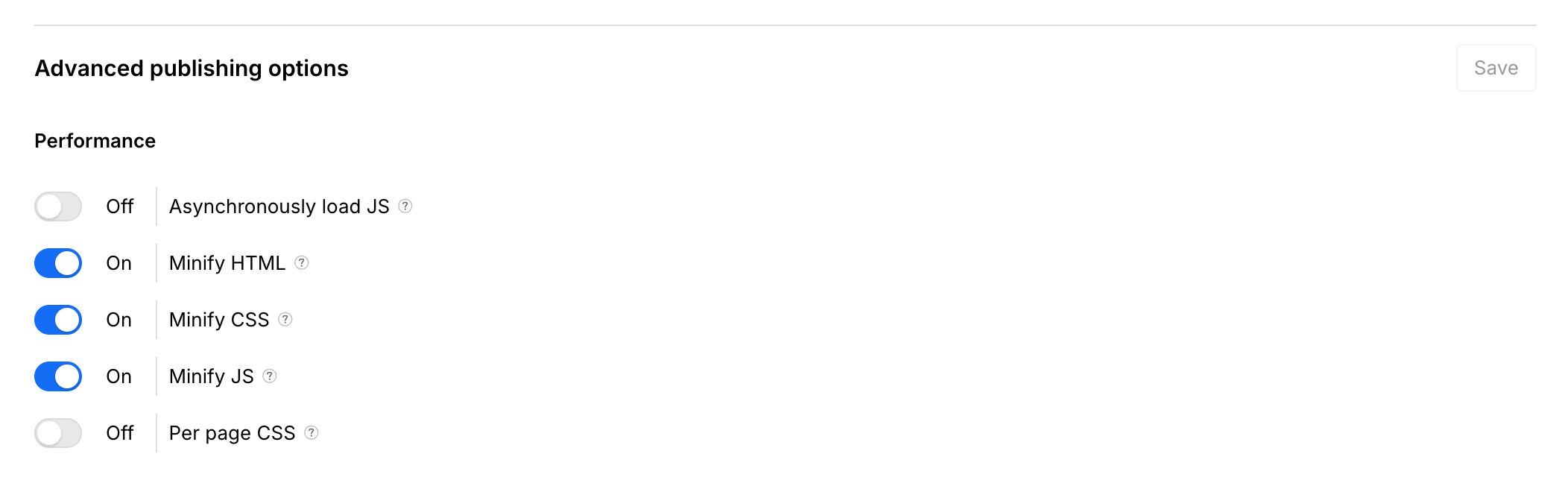
| Minify code | Hosting → Enable “Minify CSS/JS” | – weight, + speed |
| Lazy-loading | Off-screen images & videos | + Core Web Vitals (LCP/FID) |
| WebP / AVIF format | Conversion from the Assets panel | – weight, + quality |
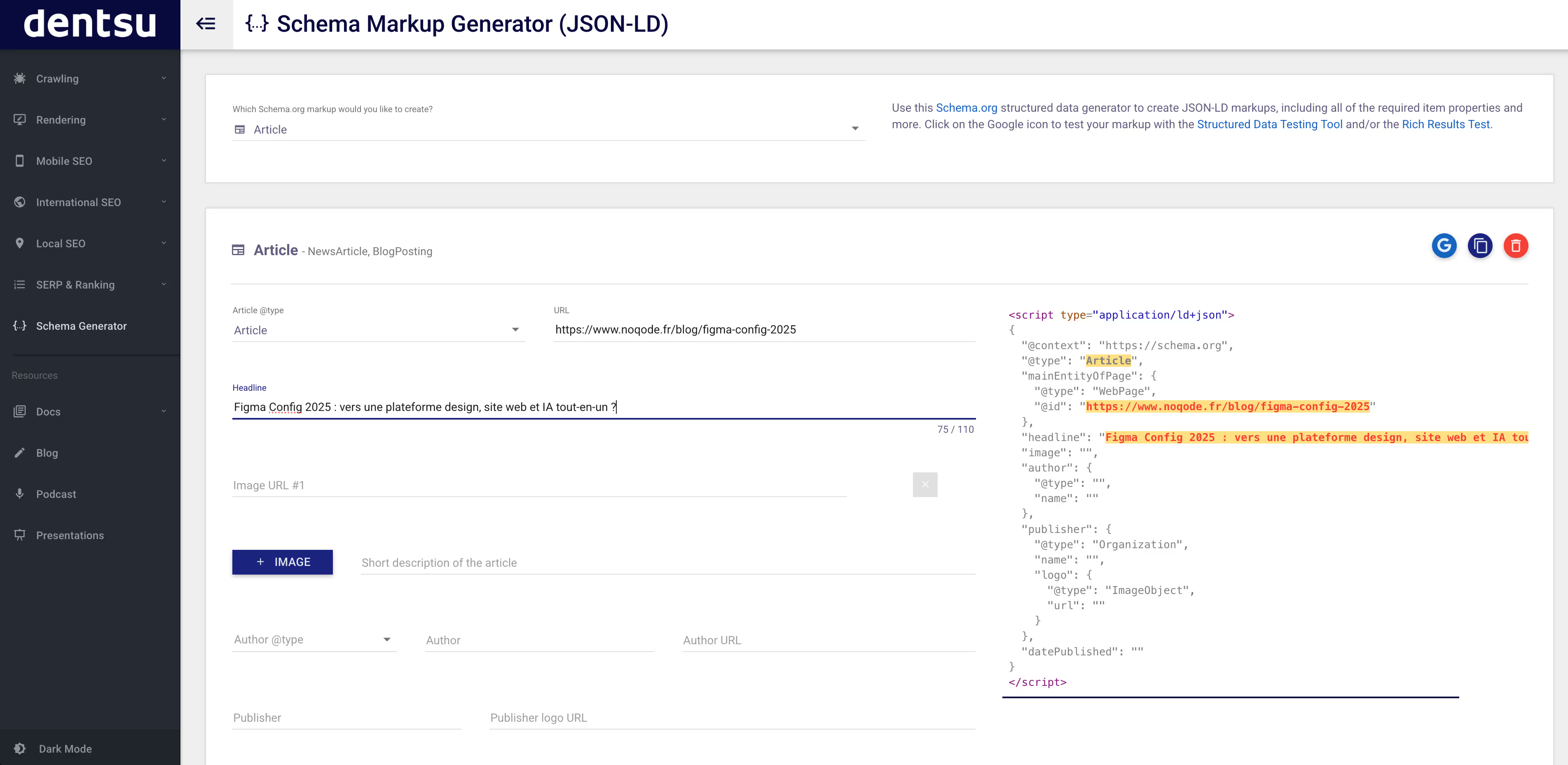
| Structured data | JSON-LD FAQ, How-To, Review | Rich snippets & SGE/AI Overview |
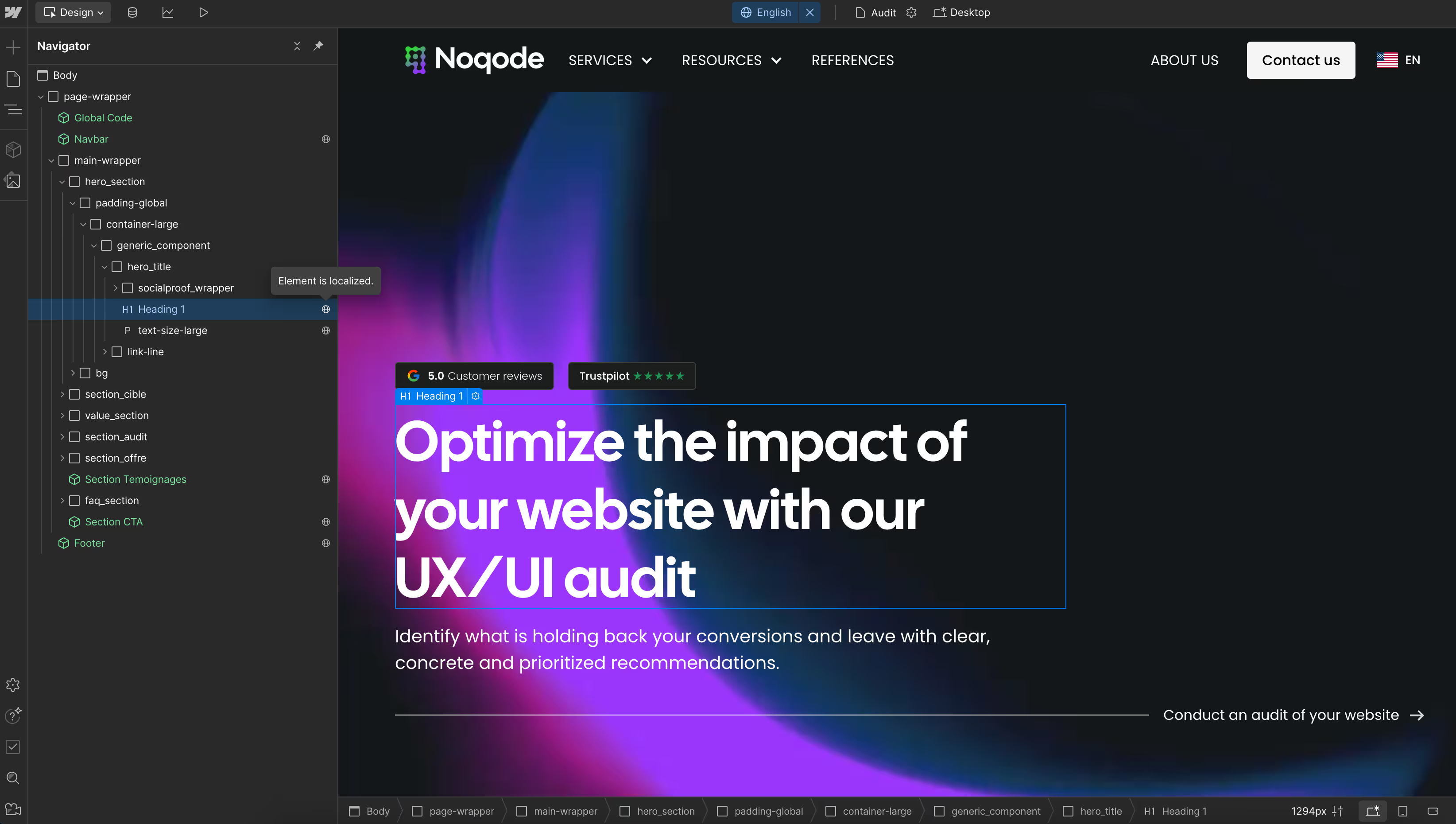
| Webflow Localization | Locales + automatic hreflang, subdirectories | Maximizes visibility in each market |
| Internal linking | 2–3 contextual links per section | Spreads link equity |
| Expert backlinks | Case studies, guest posts | ↑ Authority & trust |
Since May, Google's AI Overview (formerly SGE) has been gaining ground in the SERPs. It pulls the direct answer to a query and displays it at the top of the results. To stand out, your pages must become the trusted source: well structured, well tagged and semantically clear.
The low-code tool gives you granular control over content and code without extra plugins or depending on a developer. By applying best practices (consistent heading tags, logical internal linking, well-prioritized content), you make crawlers' work easier, increase your chances of appearing in rich snippets and therefore in the AI Overview.
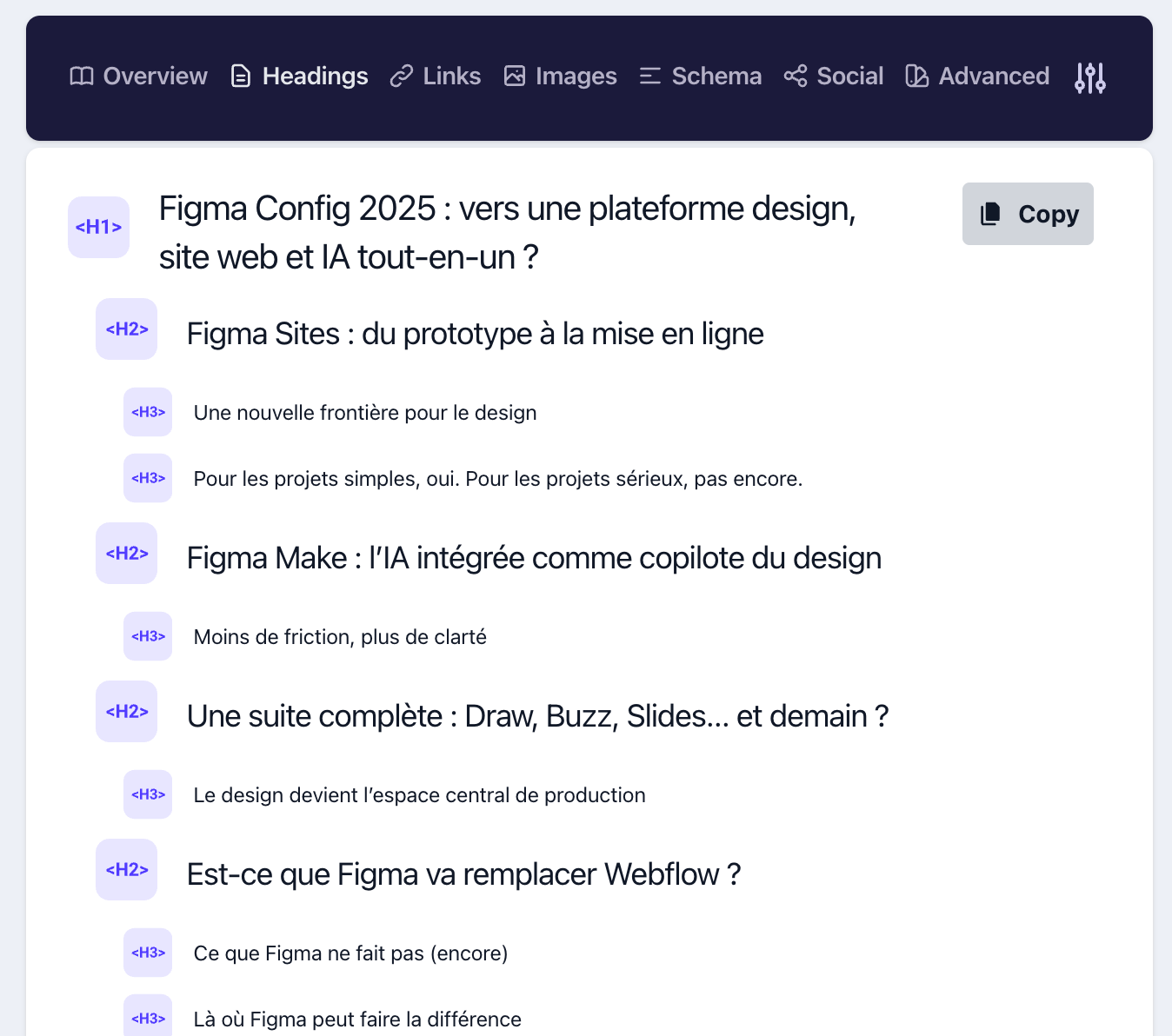
Each page of your Webflow site must include a single H1 tag that clearly defines its topic. Below it, use H2 tags for main sections, H3 for subsections, etc. A logical hierarchy helps Google understand the structure of the content, improves semantic SEO, and increases your chances of appearing in rich snippets or the AI Overview.
In Webflow, this organization is simply managed from the Designer: each title block can be converted to H1, H2, etc. Keep in mind that this structure is not only technical: it reflects the logic of your arguments, which also benefits your human readers.
Bonus tip: If your page targets a specific query, include your main keyword in the H1 tag (without forcing or over-optimizing). And for complex pages, create a clickable table of contents: you'll improve both UX and crawl.
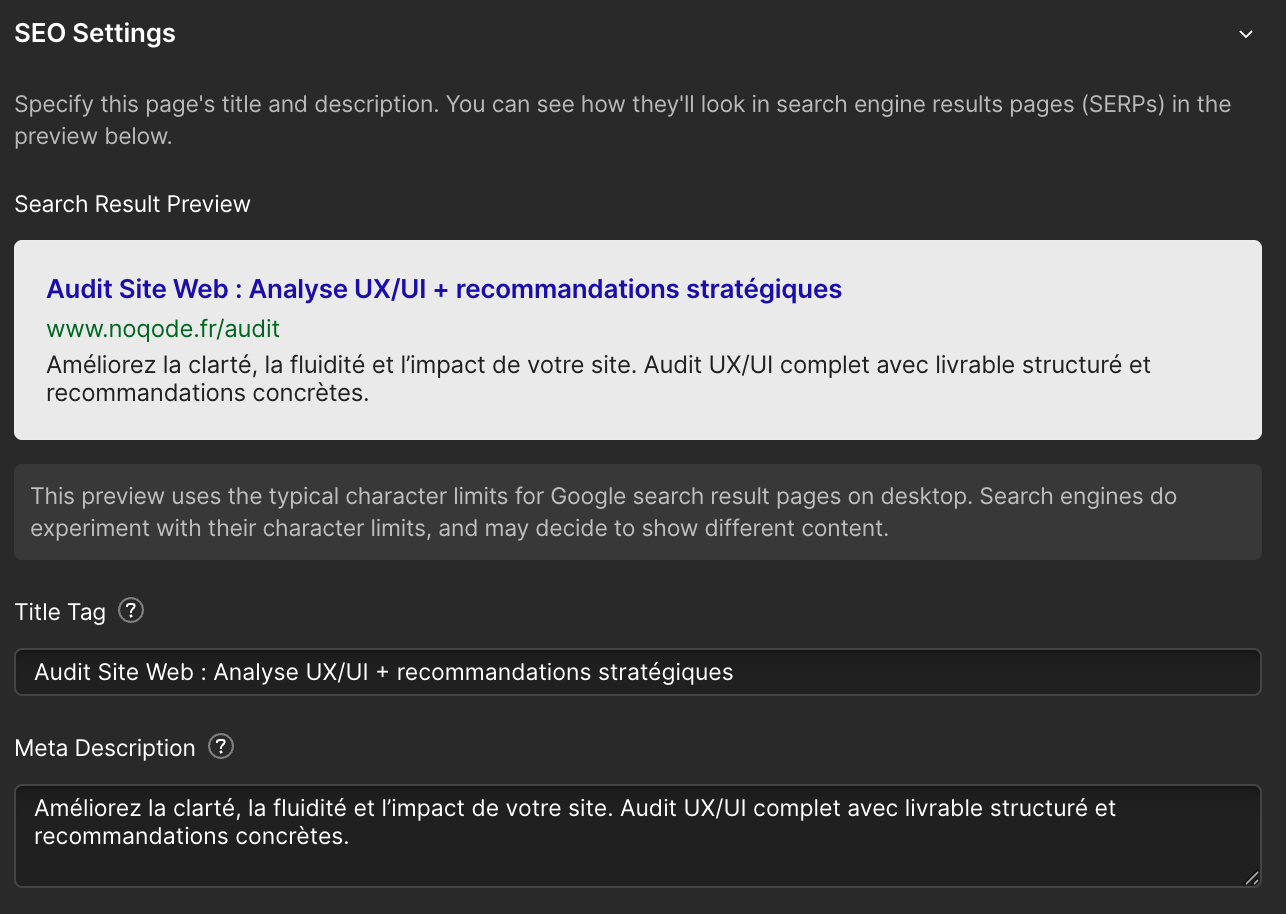
The title is your first contact with your audience in the SERP. It should be under 60 characters, include a strategic keyword and, above all, trigger an emotion: curiosity, benefit, urgency, promise...
The meta description completes the message in 155 characters maximum. It should make people want to know more without giving everything away. It is an immediate way to stand out from your competitors.
Webflow allows you to manage these tags page by page in the SEO settings. For your CMS pages, connect dynamic fields: you keep control while industrializing.
Pro tip: Take inspiration from the titles of high-CTR articles on YouTube, adapt them without slipping into sensationalism, and test different variations: a good title can double your clicks at the same ranking.
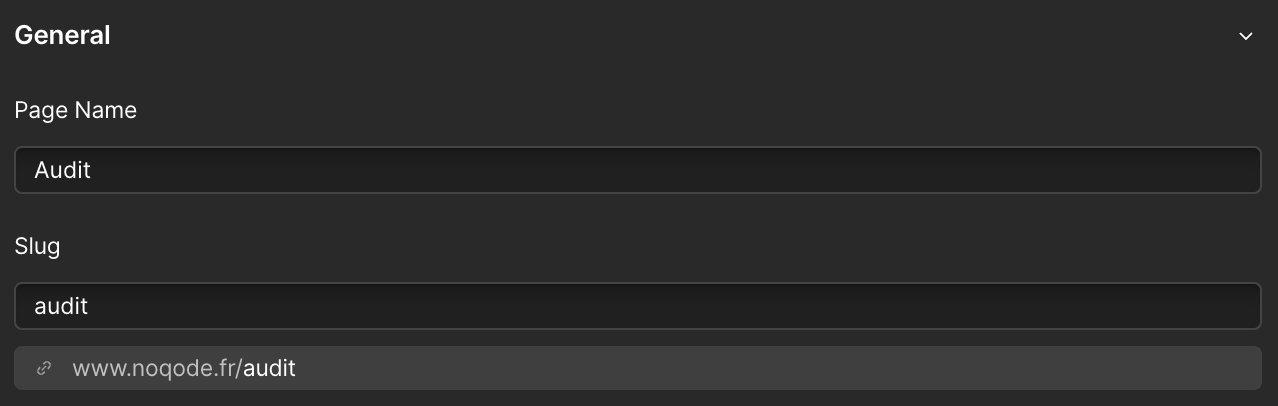
A good slug is a readable, explicit URL: yoursite.com/webflow-agency, not yoursite.com/page?id=12. In Webflow, you can easily change the slugs in the settings of each page.
Google reads URLs like text and a user who understands what they are going to read is more likely to click. It also affects internal linking: a link to /seo-webflow is much stronger than one to /article-seo-2025.
Our approach: a main keyword, no capital letters, no unnecessary stop words and hyphens to separate words. Minimal, clean, efficient.
In Webflow, you can activate “Minify CSS” and “Minify JS” in one click in the hosting settings. This reduces the weight of your code by removing unnecessary spaces, comments, and lines.
Core Web Vitals have become official Google signals, and every millisecond saved means a lower bounce rate and potentially a higher conversion rate.
Result: pages that load faster, an improved Lighthouse score, and an immediate SEO bonus.
Webflow offers lazy-loading natively for your media. This means that images or videos only load when they enter the user's field of vision.
A huge gain in performance, especially on mobile or for long pages. This simple parameter makes it possible to improve indicators such as Largest Contentful Paint (LCP) and First Input Delay (FID), which directly influence your SEO positions.
Be careful not to lazy-load everything: above-the-fold images (especially in your hero) must load immediately (Eager) to ensure a good first impression.
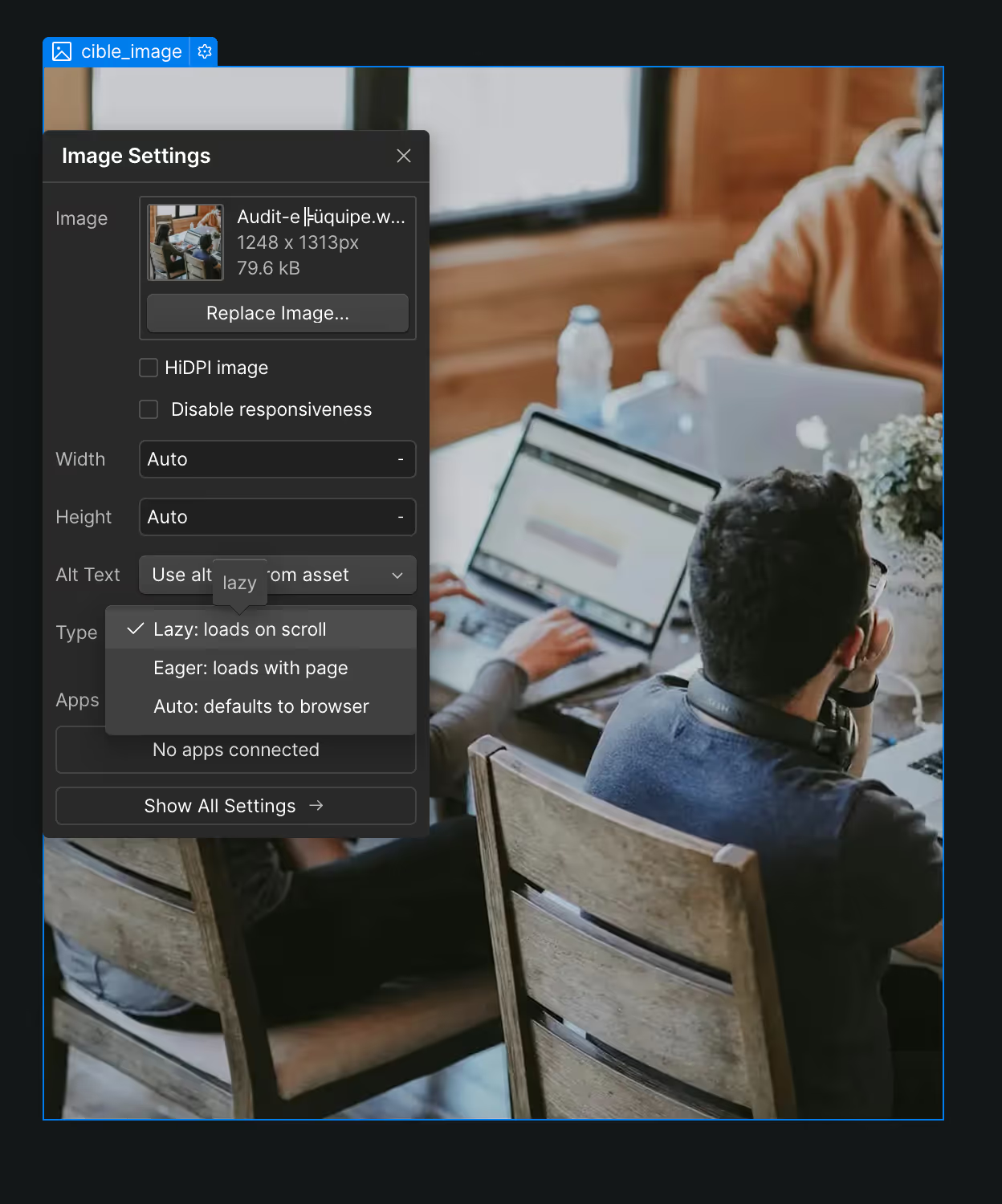
Image formats like WebP or AVIF allow you to maintain excellent quality while drastically reducing the weight of the files. Because a slow site, even if it is well referenced, will quickly be abandoned. UX is becoming an SEO signal in its own right.
In Webflow, you can automatically convert your images to WebP from the Assets panel. Result: lighter pages that load faster and an optimized Core Web Vitals score without additional effort on the development side.
To avoid: uncompressed PNGs, useless HD images, or carousels that are too data intensive.

Structured data helps Google to better understand the content of your page and to display it as Rich Snippets (FAQ, reviews, tutorials, events...).
Webflow allows you to easily add JSON-LD tags in the <head> of your pages. At Noqode, they are systematically used to enrich:
Review or Product tagsHowTo or ArticleBy integrating the right structured data, you can also appear in the AI Overview (formerly SGE). A decisive competitive advantage to appear at the top of the results.
If you're targeting multiple markets, translating your site is not enough. Each version must be structured for SEO: hreflang tags, subdirectories (/fr/, /en/, etc.) and content adapted to each audience rather than translated word for word.
With Webflow Localization, you manage all this natively: you create variants of your pages in different languages, while maintaining a clean and localized URL. The hreflang markup is generated automatically and you can adapt images, CTAs, or even entire sections by region.
Google does not index a language but a language/country combination (fr-FR, en-US, de-DE, etc.). A clear localized architecture maximizes your chances of ranking in each version of Google based on the user's location, without SEO cannibalization.
Key takeaway: Webflow Localization provides accurate, native control, ideal for managing a clean and scalable international SEO.
An SEO-friendly Webflow site is not just a set of well-written pages: it is a well-planned ecosystem of links. Each page must pass link equity to the others, while guiding the user to additional content.
At Noqode, we place 2 to 3 contextual links per section, directly related to the subject.
Golden rule: a link must have real added value. Avoid purely decorative or vague links (“find out more”). And use explicit anchors (“See our complete Webflow audit method”).
On-page SEO is no longer enough. To stand out, you also need to build domain authority, which means earning backlinks from highly credible sites.
Here's what's working in 2025:
Each project published by our specialized Webflow agency becomes a backlink opportunity. And each blog post is designed to be cited as source.
The rise of the AI Overview and LLM models is changing the game. Tomorrow, what counts is no longer position 1 but the ability to become the answer.
Doing “a bit of SEO” is no longer enough. You need to structure your Webflow site around semantic clarity, UX consistency and technical performance.
We design Webflow sites that check all the boxes of modern SEO, while being aligned with your business goals.
Do you want a Webflow site that ranks for real, even with AI? Contact us here →
Yes. Webflow provides granular control over HTML tags, titles, URLs, page structure, and metadata. Unlike other CMS, it allows you to create an SEO-friendly site without adding plugins. Its clean code and fast infrastructure (CDN, SSL, automatic minification) make it an excellent choice to optimize your SEO performance.
The optimization of a Webflow site is based on 3 pillars:
— Technical: clear HTML structure, hierarchical Hn tags, code minification, lazy loading...
— Semantics: high-impact titles, well-positioned keywords, useful and well-structured content.
— UX/UI: smooth navigation, mobile-first, fast loading time, clear design.
No. Webflow natively includes the main SEO settings: title and meta description management, automatic site map (sitemap.xml), 301 redirects, robots.txt and canonical tag settings. No need for an external plugin, which limits security risks and improves performance.
Yes. Webflow makes it easy to add Search Console verification tags in the settings, and to integrate Google Analytics 4 (GA4) via your measurement identifier. This makes it possible to track organic traffic, which pages are performing best, and to identify SEO opportunities.
Yes, Webflow is perfectly compatible with a multilingual and multi-country SEO strategy, provided the project is well structured.
The most effective approach is to use Webflow Localization, the new native feature of Webflow that allows you to manage several languages directly in the CMS, with subdirectories, hreflang tags and localized slugs.
For more advanced needs (machine translation, dynamic updating, synchronization), solutions like Weglot remain relevant and integrate perfectly with Webflow.
WordPress often relies on plugins (like Yoast or RankMath) to manage SEO, which can weigh down the code. Webflow, on the other hand, allows cleaner and faster native optimization, with better consistency between design, structure and content. Core Web Vitals performances are often better on Webflow, provided you set up the project well. To find out more, check out our Webflow vs WordPress comparison.