Webflow vs Squarespace 2026: Which should you choose for a premium B2B website?

10 minutes
.
February 22, 2026

Wondering whether to choose Webflow or Squarespace for your website? This article, written by Noqode, a Webflow specialist agency, compares both no-code platforms in depth across their key strengths: design, SEO, performance, pricing, e-commerce… and helps you identify which one truly fits your goals.
Webflow and Squarespace occupy radically different positions in the no-code web market. Squarespace claims 4.9 million active subscriptions and targets creatives, freelancers and small businesses looking for polished aesthetics without technical friction. Webflow, on the other hand, surpasses 3.5 million users and addresses teams that want complete control over code, SEO and the scalability of their online presence.
Webflow takes a "visual development" approach that gives you control equivalent to writing HTML/CSS without touching a single line of code. The interface faithfully mirrors the DOM structure and CSS properties, enabling fully custom builds without the constraints imposed by templates. This philosophy attracts designers and front-end developers who refuse to compromise on creative freedom. Webflow generates clean, semantic and maintainable code, which is a major advantage for performance and SEO.
The tool is closer to a Figma that outputs production-ready code than a simple website builder. For a team that thinks in terms of design systems, reusable components and long-term growth, it is the undisputed reference in professional no-code.
Squarespace built its reputation on a simple promise: visually exceptional templates, deployable in a matter of hours. The platform targets creatives, photographers, consultants and small businesses who want a visually flawless site without investing in a technical team. The drag-and-drop editor offers polished layouts, a coherent design system and a near-zero learning curve.
The trade-off is real: Squarespace imposes a framework. Deep customisation is limited, the code structure is less optimised for large-scale performance, and certain advanced features such as native multilingual support, complex CMS or granular redirects remain out of reach.
Webflow hosts all sites on Amazon Web Services (AWS) distributed via the Fastly CDN, guaranteeing 99.99% uptime and response times under 50 ms globally. SSL certificates are automatic, daily backups included, DDoS protection native. The architecture generates static JAMstack sites, pre-rendered pages served instantly without hitting a database on every visit.
Squarespace relies on a proprietary cloud infrastructure reinforced by the Cloudflare CDN. The architecture is classic server-side rendering: pages are generated on each visit. Automatic optimisations such as image compression and lazy loading partially offset this structural difference. For most brochure sites or portfolios, performance remains perfectly satisfactory. However, once the site grows in traffic or complexity, the gap with Webflow widens.

Webflow natively integrates Flexbox and CSS Grid for complex responsive layouts. Precise element positioning, spacing management and sophisticated grid creation are all controllable visually without touching CSS. The animations and interactions engine lets you create effects triggered on scroll, hover, click or page load, with capabilities close to JavaScript libraries like GSAP, all without a single line of code. The ability to inject custom HTML/CSS/JavaScript for specific features completes a near-unlimited toolkit. Design Systems with reusable CSS classes and components enable large-scale work with perfect consistency.
The main limitation remains the learning curve. Mastering Webflow requires understanding the fundamentals of the web: box model, CSS cascade, responsive design. It is a 2 to 4 week investment to reach productive fluency, which explains why most serious companies work with a specialist agency rather than managing development in-house.
The Squarespace library offers dozens of templates with genuine aesthetic quality, regularly updated by the in-house design team. The drag-and-drop editor lets you quickly adjust colours, typography, spacing and layouts. On Core plans and above, custom CSS and JavaScript injection is available, opening the door to certain advanced customisations. That said, the structure imposed by templates creates a ceiling that is hard to break through: repositioning an element outside Squarespace's predefined block system often requires workarounds.
Companies looking for a strong brand identity, custom art direction and differentiated interactions quickly hit these limits. This is one of the main reasons why many businesses migrate from Squarespace to Webflow after 12 to 24 months.
This is where the gap between the two platforms is most documented. An independent study conducted on 500 business sites in 2024 by SiteSpeedLab measured Core Web Vitals on an equivalent Webflow and Squarespace sample. Result: Webflow sites averaged a First Contentful Paint of 1.1 seconds versus 1.5 seconds for Squarespace, and a Largest Contentful Paint of 2.3 seconds versus 2.8 seconds. Half a second of difference can move a result from 3rd to 5th position on Google in competitive niches.
Data from the Web Almanac 2025 (HTTP Archive) adds an interesting nuance: 67.66% of Squarespace sites achieve a good overall Core Web Vitals score, and the platform leads on INP (Interaction to Next Paint) with 95.85% of its sites reaching a good score. This means the immediate interactive experience on Squarespace is excellent. Loading metrics remain behind Webflow, but the perceived experience is quality.
Webflow consistently produces sites that exceed 90 on PageSpeed Insights without additional optimisation, thanks to its lightweight semantic code, JAMstack hosting and Fastly CDN. The advantage grows further as the site scales in content volume. According to Google 2025 data, sites that reach the "Good" threshold on all Core Web Vitals are 2.3 times more likely to appear in the top 3 organic results. Platform choice is therefore not just a matter of development comfort — it is a structural SEO decision.
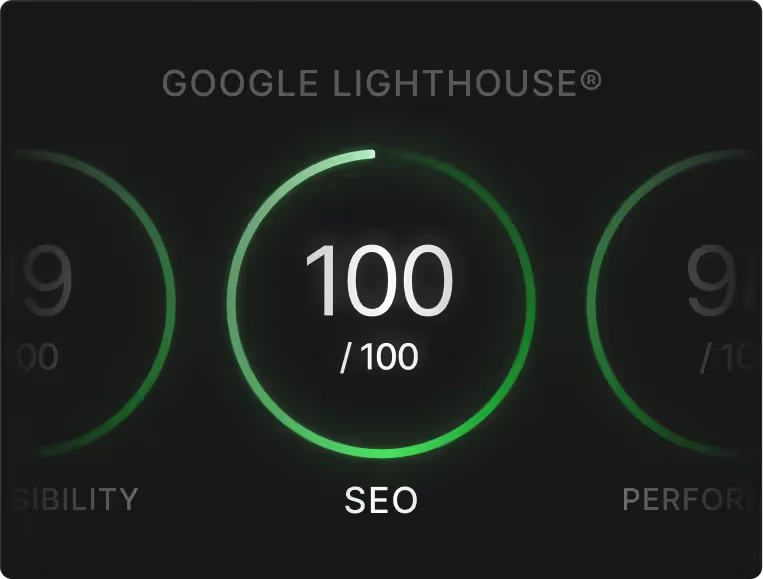
Both platforms cover the on-page SEO fundamentals: configurable title tags and meta descriptions, alt text, automatic XML sitemaps, SSL, 301 redirects. The difference lies in the depth of technical control.
Webflow offers a level of SEO granularity comparable to WordPress: canonical tag management, editable robots.txt, per-page JSON-LD structured data, 301 redirects configurable directly from the interface, fine control over Hn tag hierarchy. The generated code is semantic by design, which facilitates crawling and indexing. Our Webflow SEO guide details all the technical levers available on the platform.
Squarespace covers the essentials without exposing the complexity. The built-in SEO tools guide users on titles, descriptions and content structure. This is sufficient for most small sites and portfolios. However, advanced structured data schemas, precise robots.txt control or fine-grained canonicalisation configurations remain out of reach or require code injection workarounds.
For projects that rely seriously on organic search and visibility in AI engines such as ChatGPT, Perplexity or Gemini, Webflow's technical superiority is a cumulative advantage that is difficult to ignore over time.
The Webflow CMS is built on fully customisable collections: varied field types (rich text, images, cross-references, options, dates), relationships between collections, dynamic filters on list pages. In practice, you can build a blog, a resource library, a product catalogue, a client case study directory or a documentation system, while precisely controlling the visual rendering of each element. CMS pages are built exactly like any other page in the editor, giving total layout freedom.
The Squarespace CMS is optimised for blogs, galleries and standard content pages. It works well for the everyday needs of a brochure site or portfolio. As soon as the project requires complex content structures, relationships between collections or dynamic pages with high visual variability, the platform shows its limits. Editorial teams that regularly publish structured content often end up bypassing the CMS with third-party solutions, which adds maintenance overhead.
Squarespace has made e-commerce a major focus of its roadmap since 2025, integrating selling from the Basic plan. Features cover physical and digital product management, subscriptions, invoicing, appointment booking via Acuity, donations and member areas. Transaction fees vary by plan: 2% on the Basic plan, 0% from the Core plan on physical products. It is a coherent offer for small e-commerce businesses and content creators.
Webflow offers an integrated e-commerce solution from its Standard plan ($29/month). Features are solid for mid-size stores: catalogue management, product variants, Stripe/PayPal/Apple Pay payments, abandoned cart recovery, inventory management. The key difference is design freedom: every product page, cart and checkout flow is fully customisable visually, which is rare on no-code platforms. For complex large-scale e-commerce projects, Shopify remains the most appropriate reference.
The 2026 pricing grids of both platforms are comparable at entry level, but diverge significantly in real-world usage.
The listed prices do not tell the whole story. On Webflow, the Starter plan limits the site to a single static page without CMS. For a standard brochure site with a blog and multiple pages, the Basic plan ($23/month) is required. Squarespace revised its pricing grid in 2025 with four new plans (Basic, Core, Plus, Advanced) progressively replacing the old Personal/Business/Commerce tiers. The Basic plan now includes online selling, but with 2% transaction fees on revenue. Our article on Webflow pricing 2026 details all plans and helps you identify the right level for your context.
With Squarespace, costs to anticipate beyond the main subscription include domain renewal (between $20 and $50 per year after the first year included), Acuity Scheduling add-ons, email marketing campaigns and transaction fees on sales. Google Workspace is offered free for the first year on Core plans and above, then billed separately.
With Webflow, the domain is always separate (purchased from a third-party registrar). CMS plans have limits on the number of items and CMS pages depending on the tier subscribed. For agency-managed sites, it is important to distinguish between "Site" plans (to publish) and "Workspace" plans (for the development environment), which can create billing complexity to plan for.
This is where Squarespace takes a clear advantage over Webflow. A user with no technical background can create a functional, visually polished site in 2 to 4 hours with Squarespace. The interface is intuitive, design decisions are guided by the template system, and the documentation is excellent.
Webflow requires a genuine upfront investment. Understanding CSS class logic, the box model, grid systems and element hierarchy takes time. Most users estimate 2 to 4 weeks of intensive practice before becoming genuinely productive. Our full Webflow review covers this reality in detail. That said, once that curve is cleared, productivity on Webflow far exceeds any other no-code tool for complex projects.
An agency or B2B startup that needs a performant, differentiated and scalable website. A designer or front-end developer who wants to produce clean code visually. A marketing team betting on organic SEO and visibility in AI engines like ChatGPT or Perplexity. A growth-focused company that does not want to change platform in 18 months. A project that requires a complex relational CMS, large-scale dynamic pages or native multilingual localisation.
A creative, photographer, illustrator or designer who wants to showcase their work with minimal technical friction. A freelancer or consultant who needs a simple, clean and fast-to-deploy brochure site. A small online store with a limited catalogue that does not need Shopify's advanced features. A project that values ease of day-to-day management over advanced technical performance.
The pattern is well documented in the industry: businesses that start on Squarespace for its ease of use often find themselves hitting its limits within 12 to 24 months. The most common reasons are design customisation constraints, technical SEO limitations, the inability to build a structured CMS for their content, or difficulty integrating advanced marketing tools. At that point, migrating to Webflow represents a one-time investment that pays back quickly over time.
The migration unfolds in several distinct phases. The first involves exporting content from Squarespace (pages, blog posts, images) and auditing the existing architecture to identify what should be kept, restructured or dropped. The second phase is building the new site on Webflow: design system overhaul, page template development, CMS configuration with appropriate collections. Content migration follows, then SEO configuration with 301 redirects, titles, metas and schemas to preserve existing search equity. A launch with crawl monitoring completes the process. Depending on the complexity of the source site, this migration takes between 4 and 12 weeks.
Webflow and Squarespace do not target the same audience, and this is precisely where many comparisons go wrong by searching for an absolute winner. Squarespace is an excellent platform for creatives and small structures that want a visually polished, easy-to-maintain site deployed quickly. For that use case, it delivers exactly what it promises.
Webflow is in a different category. It is the reference tool for teams that treat their website as a genuine growth driver: advanced technical SEO, custom design, structured CMS, measurable performance. The learning curve is real, but the ceiling of what the platform allows is well beyond what Squarespace can offer.
If your site needs to generate qualified leads, rank on competitive organic search queries and reflect a strong brand identity, Webflow is the structural choice. If you need a portfolio or a simple brochure site that is easy to maintain without depending on an agency, Squarespace fills that role effectively.
Have a project and wondering which platform fits your goals? Book a call with our team — we give you an honest assessment in 30 minutes.
Overall, yes. Webflow offers far superior technical SEO control: canonical tags, customisable robots.txt, per-page JSON-LD schemas, native 301 redirects, precise Hn hierarchy and automatically generated semantic code. Loading performance is also better on average, which directly impacts Google rankings. Squarespace covers the fundamentals and can be sufficient for low-competition projects, but shows its limits when serious optimisation is needed.
Yes, Squarespace is a viable option for small online stores. Since 2025, product selling is available from the Basic plan (with 2% transaction fees). Core plans and above remove those fees and add features such as customer accounts, advanced analytics and marketing tools. For large catalogues or complex e-commerce needs, Shopify remains more suitable than either Squarespace or Webflow.
Webflow has a real learning curve and is not suited to people with no interest in how websites work. For fully autonomous use, 2 to 4 weeks of intensive practice are required. That said, working with a Webflow agency like Noqode completely resolves this issue: you get a professional-grade Webflow site, and you can manage content day-to-day through the simplified editor without ever touching the code.
Migration is doable but requires care. Squarespace allows you to export blog content as XML and pages in a limited way. The real work involves rebuilding the design in Webflow, configuring the CMS and setting up 301 redirects to preserve SEO equity. With an experienced agency, migrating a standard site (10 to 15 pages) takes between 4 and 6 weeks.
Yes, clearly. Squarespace lets you launch a functional site in a few hours, with a template selected and content added. Webflow requires either a significant learning phase or bringing in a professional. For a fast launch, Squarespace is the obvious answer. For a site that will last, perform and evolve with your business, the time invested in Webflow pays back quickly.
Webflow is the best choice for consulting firms, B2B companies and startups that want a site that works for them: lead generation, credibility, organic search, differentiated user experience. Squarespace can work for a minimal web presence, but companies that use digital as a business development tool systematically return to more powerful solutions. Our comparisons of Webflow vs Wix and Webflow vs WordPress complete the picture if you are evaluating several options in parallel.